Video. 30 fps or 60 fps?

hal1

Well-known member
Dec 1, 2009
1,269
8
0
I'm more of a set-it-and-forget-it kind of guy. Can somebody tell me which of these I would generally want to use and why. We're mostly talking short videos of under a couple minutes
 
60fps gives a smoother video playback. 30 is fine too, but 60 is better imo
 
Advantage of 30fps is smaller files for the same video length. Presumably exactly half the file size, to be exact.
 
The benefit of 60fps is most noticeable when shooting video with faster motion. If size isn't an issue, as someone pointed out above, always leave it at 60fps. If it's a concern, you could leave it normally at 30fps but will definitely see a difference if filming faster action' like sports, kids running around, etc. Filming a fairly static scene wouldn't reveal any substantial differences.
 
I have never shot in 4k although I have had many phones that could. I recently got a 4k TV so am now shooting all my video in 4k and WOW! Since the Pixel back up to photos in full resolution, why not!

Seems like many options are not selectable when shooting in 4k on any of my phones (iPhone 7+, S7 Edge or Pixel XL) I guess it really takes its toll on the processor.
 
I have never shot in 4k although I have had many phones that could. I recently got a 4k TV so am now shooting all my video in 4k and WOW! Since the Pixel back up to photos in full resolution, why not!

Seems like many options are not selectable when shooting in 4k on any of my phones (iPhone 7+, S7 Edge or Pixel XL) I guess it really takes its toll on the processor.

4k is managing 4x as many pixels as 1080p, definitely stresses it more.
 
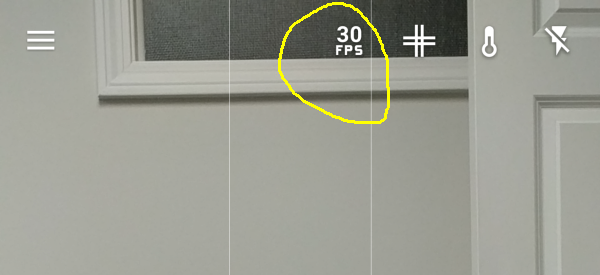
After switching to 1080P or 720P video resolution, this shows up:
 

Attachments

  • Screenshot_20161122-133904.png
    Screenshot_20161122-133904.png
    190.9 KB · Views: 103
There are reasons to use both 30 and 60fps. 30fps gives more of a classic look, and you can depict fast motion better (albeit less clearly, as it will blur). Most movies/shows are shot at 24-30fps.

60fps gives the fake/soap-opera effect (some people more sensitive to it than others) on slower scenes, but if you want clear, fast, motion it looks better when shooting action. If you've seen the new Hobbit trilogy, that was shot in 48 FPS (twice that of a 'normal' film) and looks like absolute **** on still scenes (props super obvious, everything looks fake, etc.), but great for the action scenes, so it's a trade off. That effect is even more noticeable at 60fps.

With video, each frame is basically a photograph. How many of those per second is what fps is and is directly correlated with motion blur.

Note 60fps is only available in 720p and 1080p, 4K is limited to 30fps. The slow motion 120/240 FPS are in the side menu along with Panorama, Photo Sphere, etc.
 
Yah set to 4k, thought that was the best way now

It depends on what you're taking video of. If it doesn't have a lot of fast motion, go for 4k for the extra resolution. If you're taking video of fast motion and don't need the extra resolution, go for 1080p / 60fps.
 

Members online

Forum statistics

Threads
960,229
Messages
6,981,544
Members
3,164,440
Latest member
witnessloc16