-
Some things I noticed on Verizon's Note 2
I went to Best Buy and they just got in the Demo model of the Note 2 for Verizon.
I just wanted to let you know of some changes I noticed compared to other Note 2s.
First thing is the digital clock widget is gone. This is the clean simple clock widget you see just the time and date on. This was kind of disappointing to me.
Second thing is there is no wifi toggle on the top of the notifications. Instead it has an ongoing notification which can kill battery life faster.
The third thing I want to note (no pun intended) is that Verizon's version DOES in fact have the multitasking ready to go. You won't have to wait for an update for this feature.
I wish I could have tested reception but Best Buy doesn't activate any of their demo phones.
-
Re: Some things I noticed on Verizon's Note 2
Quote:
I went to Best Buy and they just got in the Demo model of the Note 2 for Verizon.
I just wanted to let you know of some changes I noticed compared to other Note 2s.
First thing is the digital clock widget is gone. This is the clean simple clock widget you see just the time and date on. This was kind of disappointing to me.
Second thing is there is no wifi toggle on the top of the notifications. Instead it has an ongoing notification which can kill battery life faster.
The third thing I want to note (no pun intended) is that Verizon's version DOES in fact have the multitasking ready to go. You won't have to wait for an update for this feature.
I wish I could have tested reception but Best Buy doesn't activate any of their demo phones.
Toggles can be added, and im sure the clock can be made available easily. What is the notification specifically?
-
Some things I noticed on Verizon's Note 2
Quote:
Toggles can be added, and im sure the clock can be made available easily. What is the notification specifically?
I understand toggles can be added but that's not the point. The point was to give differences in the Verizon version from other versions. Same goes for the clock widget. Clock widgets are a dime a dozen but I really liked that specific one and I'm not sure why Verizon would have possibly messed with a clock widget.
The notification is an ongoing notification telling you which wifi network you are connected to or telling you there are wifi networks available.
-
Re: Some things I noticed on Verizon's Note 2
did you notice if it had the screen brightness control in the pull down menu ? i really wish my s3 had that
-
Some things I noticed on Verizon's Note 2
It does as I saw pics of the that screen online.
Here:
[Only registered and activated users can see links. Click Here To Register...]
-
Re: Some things I noticed on Verizon's Note 2
The Verizon SGS3 also has that ongoing wifi notification instead of a toggle. You get used to it after awhile. If you really don't like it you can root and add different toggles to the notification center.
Sent from my SCH-I535 using Tapatalk 2
-
Re: Some things I noticed on Verizon's Note 2
Quote:
The Verizon SGS3 also has that ongoing wifi notification instead of a toggle. You get used to it after awhile. If you really don't like it you can root and add different toggles to the notification center.
Sent from my SCH-I535 using Tapatalk 2
Yeah, it does. You can also enter a code and turn it off. I found the code in the S3 thread.
-
Re: Some things I noticed on Verizon's Note 2
Quote:
Yeah, it does. You can also enter a code and turn it off. I found the code in the S3 thread.
can you share this "code" with the rest of us please..
-
Re: Some things I noticed on Verizon's Note 2
Quote:
can you share this "code" with the rest of us please..
This will work on the S3, but not sure about the GN2. I cant take credit for it, but here it is:
Open the dialer and enter the following code: *#6335623#
This will open "HiddenMenuWifiOffload" menu.
Select "Disable WifiOffloading"
Press "OK"
Done!
-
Re: Some things I noticed on Verizon's Note 2
What other codes are there?
-
Re: Some things I noticed on Verizon's Note 2
Just played with a Verizon demo unit at Best Buy and noticed that you cannot continuously scroll though home screens or the app drawer. When you hit the last screen you just get the little rubber band effect and cannot continue on to the first screen. I tried to figure out if there was a setting to change this, but couldn't find one. Can that be changed, or did Verizon gimp that feature for some reason?
-
Some things I noticed on Verizon's Note 2
Quote:
This will work on the S3, but not sure about the GN2. I cant take credit for it, but here it is:
Open the dialer and enter the following code: *#6335623#
This will open "HiddenMenuWifiOffload" menu.
Select "Disable WifiOffloading"
Press "OK"
Done!
Interesting have to give this a try.
-
Re: Some things I noticed on Verizon's Note 2
Quote:
Just played with a Verizon demo unit at Best Buy and noticed that you cannot continuously scroll though home screens or the app drawer. When you hit the last screen you just get the little rubber band effect and cannot continue on to the first screen. I tried to figure out if there was a setting to change this, but couldn't find one. Can that be changed, or did Verizon gimp that feature for some reason?
Why does that matter? Honestly NBD if you ask me.
-
Re: Some things I noticed on Verizon's Note 2
Quote:
Why does that matter? Honestly NBD if you ask me.
It isn't a big deal, but why remove even a subtle convenience feature that is standard on the rest of the galaxy line? Seemed odd to me.
-
Re: Some things I noticed on Verizon's Note 2
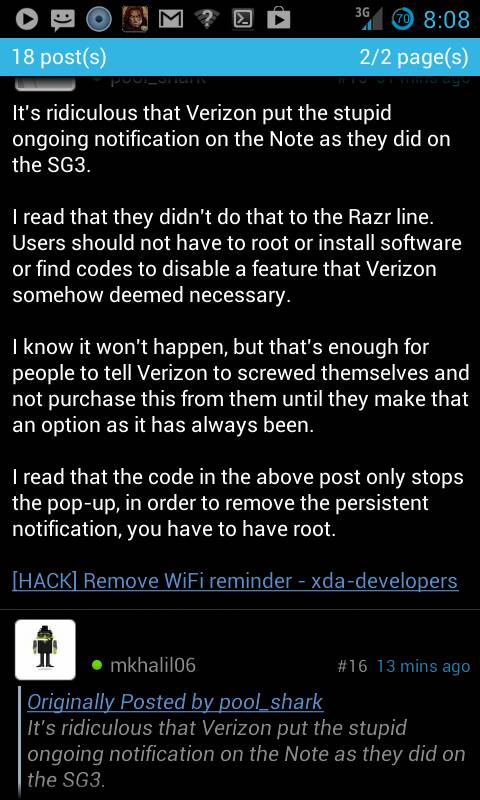
It's ridiculous that Verizon put the stupid ongoing notification on the Note as they did on the SG3.
I read that they didn't do that to the Razr line. Users should not have to root or install software or find codes to disable a feature that Verizon somehow deemed necessary.
I know it won't happen, but that's enough for people to tell Verizon to screwed themselves and not purchase this from them until they make that an option as it has always been.
I read that the code in the above post only stops the pop-up, in order to remove the persistent notification, you have to have root.
[Only registered and activated users can see links. Click Here To Register...]
-
Re: Some things I noticed on Verizon's Note 2
Quote:
It's ridiculous that Verizon put the stupid ongoing notification on the Note as they did on the SG3.
I read that they didn't do that to the Razr line. Users should not have to root or install software or find codes to disable a feature that Verizon somehow deemed necessary.
I know it won't happen, but that's enough for people to tell Verizon to screwed themselves and not purchase this from them until they make that an option as it has always been.
I read that the code in the above post only stops the pop-up, in order to remove the persistent notification, you have to have root.
[Only registered and activated users can see links. Click Here To Register...]
i've read on other forums that this notification is not limited to the verizon note
users with ATT have been reporting the same thing
-
Re: Some things I noticed on Verizon's Note 2
Quote:
It's ridiculous that Verizon put the stupid ongoing notification on the Note as they did on the SG3.
I read that they didn't do that to the Razr line. Users should not have to root or install software or find codes to disable a feature that Verizon somehow deemed necessary.
I know it won't happen, but that's enough for people to tell Verizon to screwed themselves and not purchase this from them until they make that an option as it has always been.
I read that the code in the above post only stops the pop-up, in order to remove the persistent notification, you have to have root.
[Only registered and activated users can see links. Click Here To Register...]
Does the wifi notification only show up when you turn wifi off, or is it always present?
Edit: currently deciding between carriers and want to make sure I am clear on any hardware/software differences
-
Re: Some things I noticed on Verizon's Note 2
Quote:
Does the wifi notification only show up when you turn wifi off, or is it always present?
Edit: currently deciding between carriers and want to make sure I am clear on any hardware/software differences
if you have a choice of carriers go w/ ATT
verizon has the best network, but they pull crap like this all the time and it gets old quick
-
Re: Some things I noticed on Verizon's Note 2
If u talking about this one with the question mark then JUST TURN OFF WIFI LOL duh[Only registered and activated users can see links. Click Here To Register...]
Sent from my EPIC WHITE SGS2 Rockin CM10 4.1.2 using Tapatalk 2
-
Re: Some things I noticed on Verizon's Note 2
Quote:
i've read on other forums that this notification is not limited to the verizon note
users with ATT have been reporting the same thing
I did see one post about it on AT&T.
-
Re: Some things I noticed on Verizon's Note 2
Quote:
Does the wifi notification only show up when you turn wifi off, or is it always present?
Edit: currently deciding between carriers and want to make sure I am clear on any hardware/software differences
From what I've read, the pop-up comes on anytime you're not connected to wifi, but the notification is there at all times whether you're connected or not.
-
Re: Some things I noticed on Verizon's Note 2
Quote:
If u talking about this one with the question mark then JUST TURN OFF WIFI LOL duh
[Only registered and activated users can see links. Click Here To Register...]
Sent from my EPIC WHITE SGS2 Rockin CM10 4.1.2 using Tapatalk 2
Try reading the complaints next time.
-
Re: Some things I noticed on Verizon's Note 2
Quote:
Try reading the complaints next time.
Just turn WIFI off. Problem solved. I don't use WIFI anyway. I'm unlimited.
-
Re: Some things I noticed on Verizon's Note 2
Quote:
Just turn WIFI off. Problem solved. I don't use WIFI anyway. I'm unlimited.
I'm not
-
Re: Some things I noticed on Verizon's Note 2
Quote:
Just turn WIFI off. Problem solved. I don't use WIFI anyway. I'm unlimited.
Turning wifi off doesn't fix the problem. The notification is there all the time whether wifi is on or not.
That's why I said read the complaints.