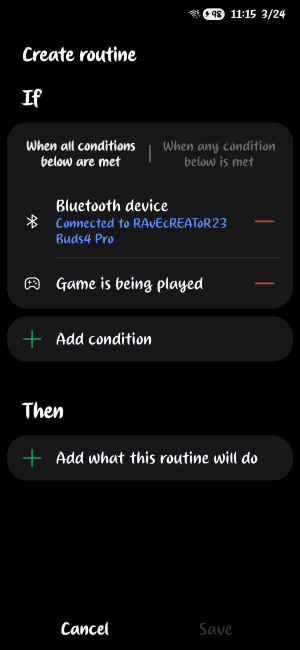
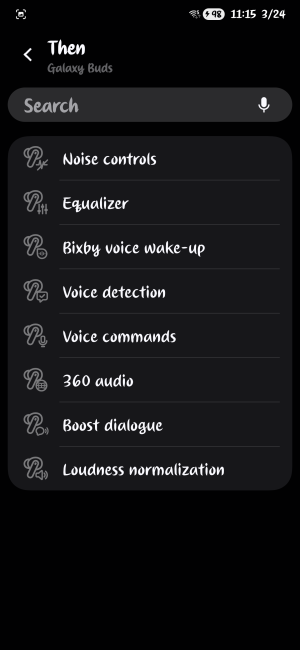
What phone do you have?
Are you trying to do this with Bixby, Google Assistant, or Gemini?
When I put your question in Google it first thought that they were Xiaomi ear buds 4 pro, but I know Samsung just released their Galaxy Buds 4 Pro, so I corrected it to Galaxy Buds and got this response. Notice that the "best audio is with gaming mode off". Check the last line of the advice Google gives.
To turn on Game Mode on the Galaxy Buds 4 Pro, you need to navigate to the "Labs" section within the Galaxy Wearable app. If it is not appearing, it may be hidden behind other settings or because you are using a non-Samsung device.
Reddit +3
Here is how to locate and activate it:
Steps to Activate Game Mode
- Open the Galaxy Wearable App on your phone.
- Go to Earbud settings.
- Tap on Labs.
- Toggle on Gaming mode.
If Game Mode is Missing or Grayed Out
- Disable UHQ Audio: Game Mode cannot run simultaneously with UHQ audio. Go to settings and ensure UHQ audio is disabled to make Gaming Mode appear.
- Use a Samsung Phone: Gaming mode for Galaxy Buds often requires a Samsung device to use the proprietary Scalable Codec for low latency.
- Update Software: Ensure both your Galaxy Wearable app and your Buds 4 Pro firmware are fully updated to the latest version.
- Check Labs Section: On newer interfaces, Labs may be found by going to Earbud settings > Advanced features > Labs.
Reddit +4
Note: Gaming Mode minimizes audio delay at the expense of slight sound quality degradation.
Anyway, let us know if this helps, if this is what you're looking for, and if I guessed correctly when I said they were Galaxy Buds. Best wishes.





 Facebook
 Twitter
 Instagram