Browser Open With 'Always' or 'Just Once' is always triggered when opening links

  • Thread starter Thread starter Android Central Question
  • Start date Start date
A

Android Central Question

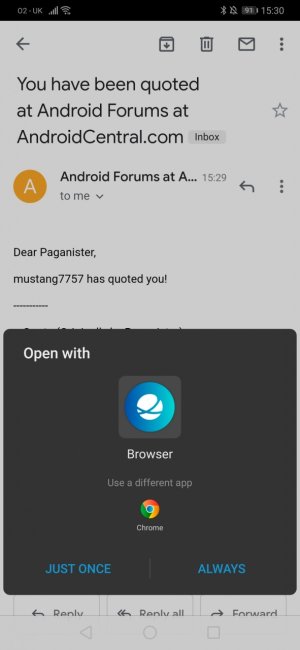
I have this increasingly irritating issue where if I open any link via an email in the gmail app or Discord the 'Open with' 'Just Once' and 'Always' prompt pops up every single time no matter which browser I set as default.

I have a Huawei P30, with the standard Browser and Chrome installed.

Any ideas on how to troubleshoot this? Thanks!
 
I have this increasingly irritating issue where if I open any link via an email in the gmail app or Discord the 'Open with' 'Just Once' and 'Always' prompt pops up every single time no matter which browser I set as default.

I have a Huawei P30, with the standard Browser and Chrome installed.

Any ideas on how to troubleshoot this? Thanks!
Hi, if you can register a account here , me or other members be happy to assist you.

I'll provide a link to register so you can communicate here
https://forums.androidcentral.com/ask-question/409154-join-android-central-community.html
 
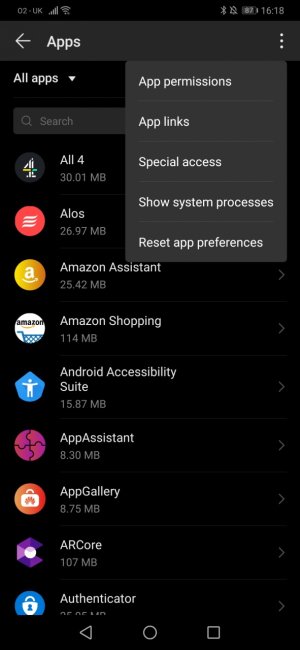
When choose always will it stay after reset app preference?

Sorry thought you were talking to the other chap. I just tried this - seemed to be fixed after trying a couple of different links, but the prompt came back again after I re-started the phone opening the same links (exactly like in the screenshot). I selected Chrome then Always.
 
Sorry thought you were talking to the other chap. I just tried this - seemed to be fixed after trying a couple of different links, but the prompt came back again after I re-started the phone opening the same links (exactly like in the screenshot). I selected Chrome then Always.
Under reset what other options was there?
 
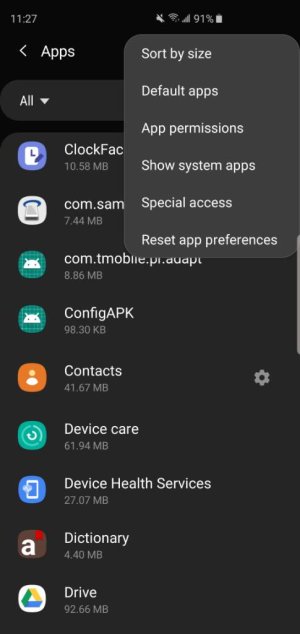
This settings on my phone a Samsung , you can choose default Apps in there as you can see in the screenshot.Screenshot_20190721-112739_Settings.jpeg
 
In the 3 Dots no where says to set defaults?
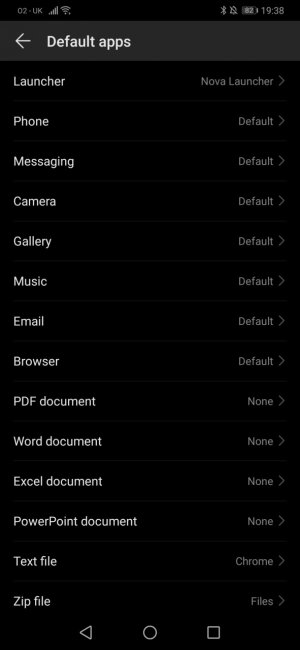
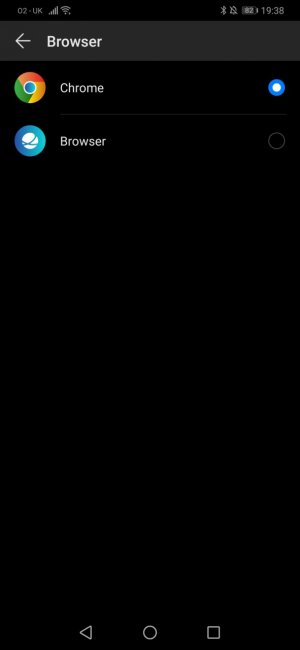
So it is setting Chrome as the default browser when I press Always. First screenshot is the default apps screen then the second is what is inside the browser default option. So still not sure what is going on...
 

Attachments

  • Screenshot_20190721_193836_com.android.settings.jpg
    Screenshot_20190721_193836_com.android.settings.jpg
    82.6 KB · Views: 4
  • Screenshot_20190721_193847_com.android.settings.jpg
    Screenshot_20190721_193847_com.android.settings.jpg
    33.3 KB · Views: 4
So it is setting Chrome as the default browser when I press Always. First screenshot is the default apps screen then the second is what is inside the browser default option. So still not sure what is going on...
Yeah this is strange , everything looks good from screen shot. See if I can come up with anything.
 
Yeah this is strange , everything looks good from screen shot. See if I can come up with anything.

Yep it is.... I tried several Google searches with no luck - everything it just leading to the prompt never appearing and requiring to reset it, rather than the other way around.
 
Yep it is.... I tried several Google searches with no luck - everything it just leading to the prompt never appearing and requiring to reset it, rather than the other way around.
When did this start happening?
 
I honestly don't know. I think only within the last few weeks, but it's only recently I've been opening a lot more links on my phone so could have been doing it for longer.
I think a app installed causing this , anything you can think of you installed lately?