

- Feb 9, 2013
- 60
- 0
- 0
Hi,
I want to change my lock screen image to one of my own. However, I am having great difficulty doing so. I have followed all the advice given previously, but none of it works.
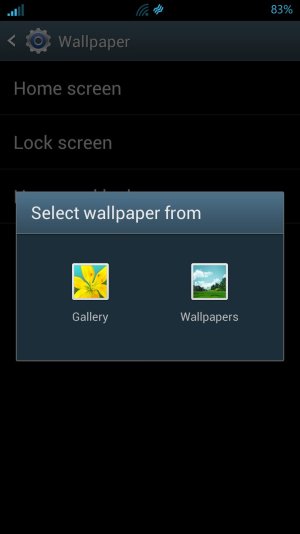
I have gone into Setting/Display/Wallpaper/Lock Screen/ and tried to change the image there. Unfortunately, the Only options I get are the stock Samsung images. There is no way to choose another image. There is no Gallery option. I have tried to change the wallpaper by pressing on an empty part of a screen. This time I get the choice between Lice Wallpapers and the stock Samsung screens. Again, no Gallery option is offered.
I do have ADW Launcher Theme and a Live wallpaper running. Would this make a difference? I want to keep the Live Wallpaper on the screens and have a different, static image on my Lock screen. Is this even possible? Why am I not getting any Gallery option as everyone else seems to be? I use X-Plore to choose images and navigate around my phones folder system.
This is really annoying.
My phone is a Rooted Samsung Galaxy S3 (O2 - UK). It is running Jelly Bean 4.1.2.
Ta.
I want to change my lock screen image to one of my own. However, I am having great difficulty doing so. I have followed all the advice given previously, but none of it works.
I have gone into Setting/Display/Wallpaper/Lock Screen/ and tried to change the image there. Unfortunately, the Only options I get are the stock Samsung images. There is no way to choose another image. There is no Gallery option. I have tried to change the wallpaper by pressing on an empty part of a screen. This time I get the choice between Lice Wallpapers and the stock Samsung screens. Again, no Gallery option is offered.
I do have ADW Launcher Theme and a Live wallpaper running. Would this make a difference? I want to keep the Live Wallpaper on the screens and have a different, static image on my Lock screen. Is this even possible? Why am I not getting any Gallery option as everyone else seems to be? I use X-Plore to choose images and navigate around my phones folder system.
This is really annoying.
My phone is a Rooted Samsung Galaxy S3 (O2 - UK). It is running Jelly Bean 4.1.2.
Ta.



 Facebook
 Twitter
 Instagram