Charging Indicator[Solved]

Jetskier222

Member
Mar 6, 2015
17
0
0
My phone used to display a charging indicator for a few seconds when I plugged it in, but it has stopped. Anyone know of a setting to get it back.?
 
Last edited by a moderator:
Re: Charging Indicator

Make sure your usb port clean , if so go settings>apps>3 dots upper right corner tap system apps and find usb settings and clear its data and force stop it
 
Re: Charging Indicator

If those don't work , you probably going have to factory reset , this is done by system UI , safe mode it didn't work that means no 3rd party apps were conflicting.

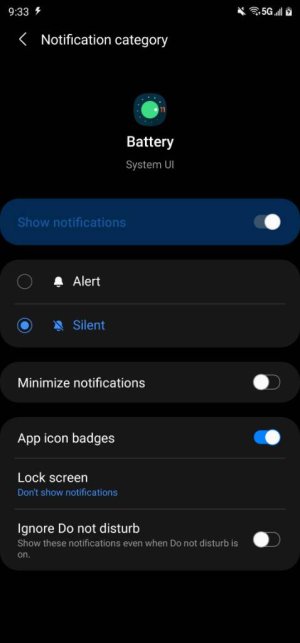
I messed with these settings didn't Matter it still showedScreenshot_20201226-213352_Settings.jpeg
 
Re: Charging Indicator

Found it! B. Diddy's link gave me the answer! Remove animations was toggled on, as soon as I toggled it off it came back. Thanks for the help guys!
 
Re: Charging Indicator

This.
82bf516d3c6c372d4f7d0fab0955068f.jpg