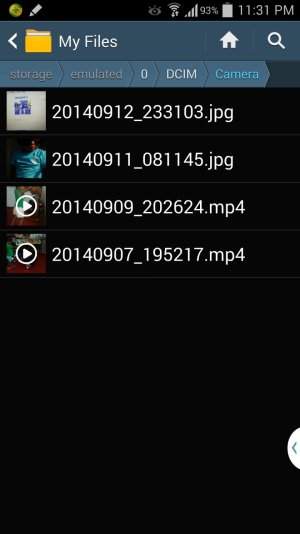
DCIM Gallery photos missing

  • Thread starter Thread starter AC Question
  • Start date Start date
A

AC Question

All the photos in my Gallery has been missing all of a sudden! I am not able to view them in any of the folders! I have not deleted them. It just went missing ! I tried all settings such as show hidden files, restart, clear cache...

Please advise ASAP.
 
I'll assume they are jpeg images. Find a file manager and search your device for all files with a .jpeg file extension. Also check to see if by chance you added a .nomedia file to any folder as the media manager will skip displaying any files in a folder with a .nomedia file in it.
 
I was able to see a few of them under .jpg extension. How do i get to display the .nomedia files if any? i searched for a few but when i tried to open them with the photo viewer, it wouldnt show up!
 
I'm not understanding why your images are not being displayed, unless that .nomedia file is in the folder your images are in. Very confusing.
 
When i search for .nomedia files using filer manager, i get to see quite a lot of them(around 230), but they arent from the DCIM \ Camera folder instead in some other application folders....

What do i do with these files? delete them?
 
Are any of your pics in any of the folders that have a .nomedia file in it? Do not delete the .nomedia files till we are sure it's the problem.
 
Ok, great.

Go to the application manager and under all find Gallery.

Force stop
Clear cache
Clear data

Shut down and reboot the device.

That may clear up the issue.

As an aside the images that were yours that you did see, what folder (s) were they in?

I'm curious .....:rolleyes::eek:
 

Trending Posts

Members online

Forum statistics

Threads
959,908
Messages
6,980,516
Members
3,164,329
Latest member
janbibijan