Do not disturb no shutting off

Rumblee1

Trusted Member
Nov 3, 2012
1,609
48
48
I've entered my turn in time, and turn off time. The feature does silence my A7 promptly, but it won't go back on at the time I chose. I've got to manually turn on the sound by turning off DND. I've got no issues with my galaxy S7 EDGE, but on my A7, I've got to turn the sound back on manually. Any suggestions?
 
Hmm, this is a strange issue, and I'm sure it's not very convenient for you,either! Since you have your settings set up for turning it off - are you using any third-party alarm clock/clock apps? Maybe a restart would fix this?
 
Hmm, this is a strange issue, and I'm sure it's not very convenient for you,either! Since you have your settings set up for turning it off - are you using any third-party alarm clock/clock apps? Maybe a restart would fix this?

No 3rd party apps. But I'll give a restart a try.
 
Hmm, this is a strange issue, and I'm sure it's not very convenient for you,either! Since you have your settings set up for turning it off - are you using any third-party alarm clock/clock apps? Maybe a restart would fix this?

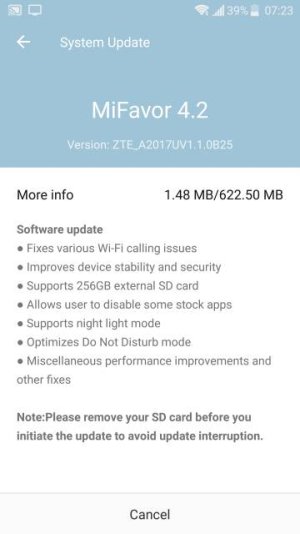
Hi, this must have been a wide spread problem as it was fixed in yesterday's update. This morning, my sound came back on automatically at its assigned time. Nice.
 
Hi, this must have been a wide spread problem as it was fixed in yesterday's update. This morning, my sound came back on automatically at its assigned time. Nice.

That's awesome! So glad that it is fixed for you now! Yay!
 

Forum statistics

Threads
961,378
Messages
6,986,137
Members
3,164,708
Latest member
nic12345