
I've had this issue since I've had the phone. My previous phone (Galaxy S1) never had this issue.
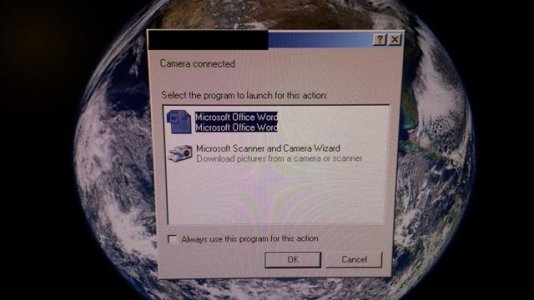
When I plug my USB into my computer you hear the Windows USB sound. In the system tray nothing appears saying that it recognizes it. However you get the prompt to select program you want to open it with. Oddly it's MS Word and a camera option.
(screen shot 1)
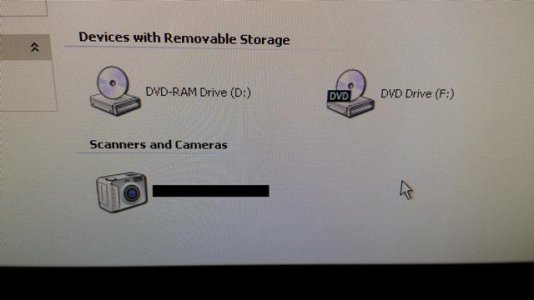
I click cancel because I don't want any of those options. I open 'My Computer' and located my phone and I get an icon of a camera.
(screen shot 2)
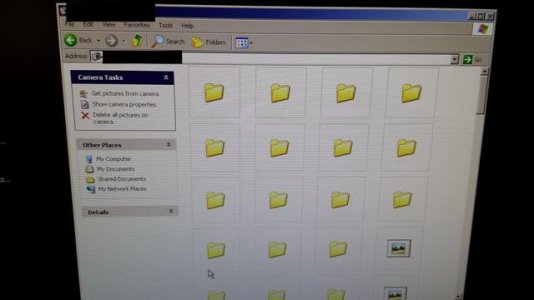
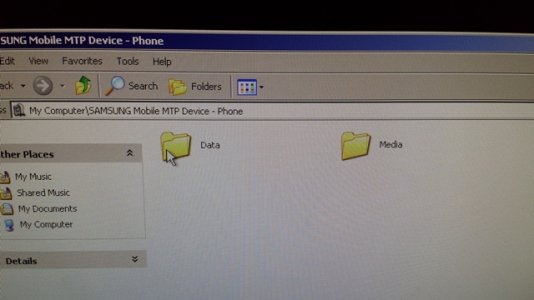
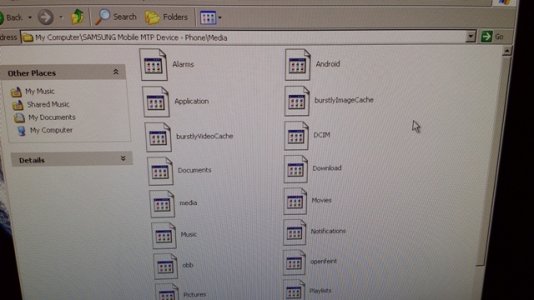
I open the camera icon and I get a list of many folders all nameless, when I click on each one they are all empty inside.
(screen shot 3)
I checked on my phone in the 'USB PC connection' options that the 'Media device (MTP)' is selected, and it was.
So I tried changing it to the 'Camera (PTP)' option, same exact thing, except less nameless folders.
I rebooted my phone and it still does the same thing. I've updated with the latest S4 updates as well.
-
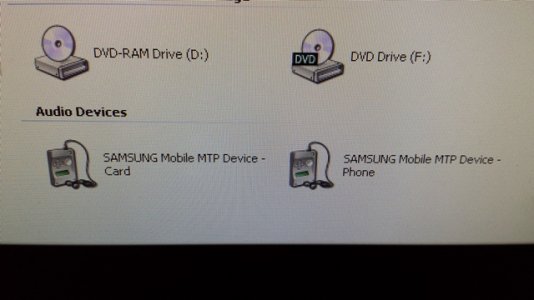
I took the phone to my local phone service provider and it works fine on their computers. I told them that I'm using Windows XP so they hooked it up to a Windows XP machine, once again it shows up for them perfectly fine. They are able to see the names on the folders, and see whats inside of them. Note, when they plugged my phone into their computers they had a phone icon and not my camera icon.
Their advice was to download the latest Samsung USB drivers from their website. So I did and once again I'm still getting the same issues I had before.
I'm not sure what else I can do. Trying to do a Google search on this particular issue is not the easiest since there are many things that it could be, not to mention the phone is very new still.
Would anyone have any ideas to try? I'm up for trying just about anything.
Thank you in advanced
When I plug my USB into my computer you hear the Windows USB sound. In the system tray nothing appears saying that it recognizes it. However you get the prompt to select program you want to open it with. Oddly it's MS Word and a camera option.
(screen shot 1)
I click cancel because I don't want any of those options. I open 'My Computer' and located my phone and I get an icon of a camera.
(screen shot 2)
I open the camera icon and I get a list of many folders all nameless, when I click on each one they are all empty inside.
(screen shot 3)
I checked on my phone in the 'USB PC connection' options that the 'Media device (MTP)' is selected, and it was.
So I tried changing it to the 'Camera (PTP)' option, same exact thing, except less nameless folders.
I rebooted my phone and it still does the same thing. I've updated with the latest S4 updates as well.
-
I took the phone to my local phone service provider and it works fine on their computers. I told them that I'm using Windows XP so they hooked it up to a Windows XP machine, once again it shows up for them perfectly fine. They are able to see the names on the folders, and see whats inside of them. Note, when they plugged my phone into their computers they had a phone icon and not my camera icon.
Their advice was to download the latest Samsung USB drivers from their website. So I did and once again I'm still getting the same issues I had before.
I'm not sure what else I can do. Trying to do a Google search on this particular issue is not the easiest since there are many things that it could be, not to mention the phone is very new still.
Would anyone have any ideas to try? I'm up for trying just about anything.
Thank you in advanced




 Facebook
 Twitter
 Instagram