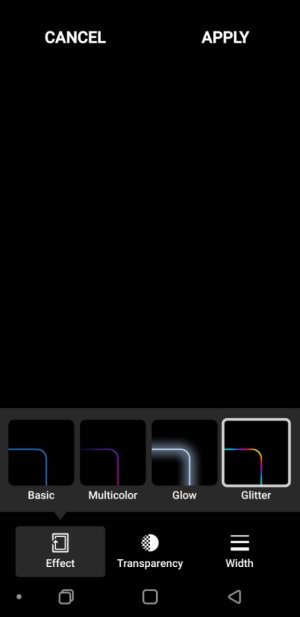
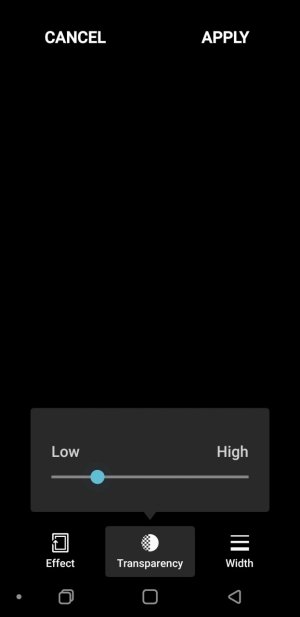
Edge lighting

amyf27

Well-known member
Oct 24, 2015
9,913
285
83
Does anyone have Edge Lighting actually working?

I have the factory unlocked Note 9, currently on Nova Launcher. It wont work. Ive checked settings, permissions, tried without AOD on, with it on, etc.

Would be a nice feature darn it
 
Mine is Tmo... And mine works for somethings.
Can you have your phone up/upwards? Or does edge lighting only work if its face down? If that's the case I dont want to use it as I rarely have it face down
 
Have you tried changing the color options? I find the option to the right with various colors works best. Also with transparency to mostly light.
 
Just now I picked another color and made it slightly more transparent. No go yet.
Have you tried changing the color options? I find the option to the right with various colors works best. Also with transparency to mostly light.
 
Can you have your phone up/upwards? Or does edge lighting only work if its face down? If that's the case I dont want to use it as I rarely have it face down
My phone is always face up. It is so quick when it lights that you can easily miss it. I usually catch the color on the pop-up notification that happens too
 
I use Nova Launcher Prime, and Edge lighting works just fine for me on my unlocked Note 9, S9+, and S8+.

All unlocked, all Nova Launcher Prime.

So, unless yours is somehow messed up, it's not Nova or unlocked. It must be a setting that you're missing.

I have mine set for calls, Textra, and Outlook.
 
Check that your app notification settings are set up correctly as well as Edge lighting settings.
 
I'm not sure Good Lock will have any impact on your Bluemail, Messages, or Tapatalk notifications as far as Edge lighting is concerned.

I think you have to go into the apps specifically to set them up.

I don't use any of those apps, so I can't begin to tell you what to setup in them.
 

Trending Posts

Forum statistics

Threads
962,659
Messages
6,991,282
Members
3,164,895
Latest member
mengatasipinkartudebitbni