Emojis won't work galaxy s7

EJ1993

Member
Mar 28, 2017
7
0
0
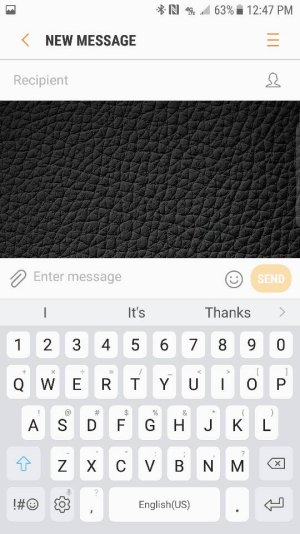
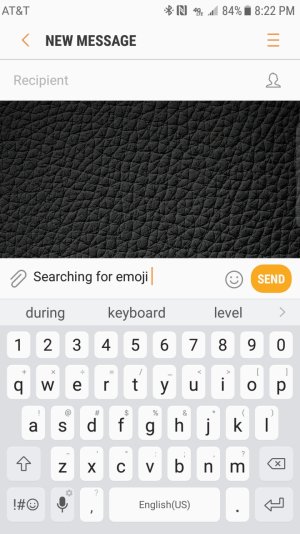
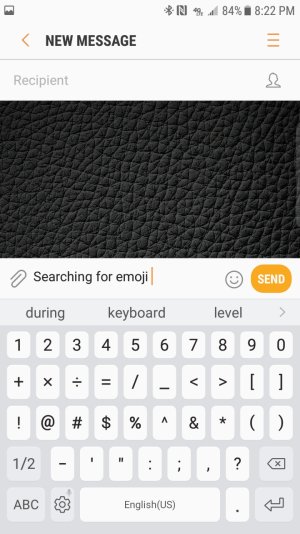
After updating my phone to Android 7.0 my option icon got rid of my emoji icon on my keyboard. Just need help getting it back. I can only use emojis while using the stock messenger app using the smiley face. Check out the screenshots and you can see what I'm talking about.
 

Attachments

  • 8751.jpg
    8751.jpg
    74 KB · Views: 22
Last edited:
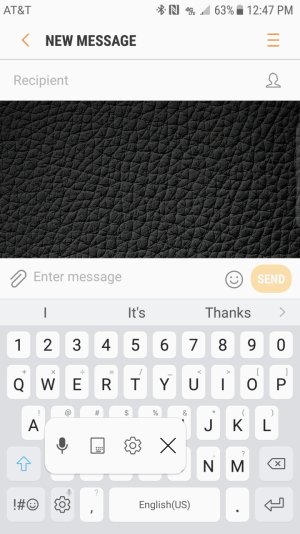
When you hold down the option button this is all it shows.
 

Attachments

  • Screenshot_20170328-124722.jpg
    Screenshot_20170328-124722.jpg
    243.6 KB · Views: 15
Ah, I see! Usually resetting the keyboard does not help, but you can try that.

If you have not already done so, go into application manager and clear the Samsung Keyboard data to see if that helps.
 
Are you using the stock keyboard that came with your phone? Have you tried using an alternative keyboard app to see if the problem persists?
 
These are pretty standard, but they do help on occasion. Boot into recovery and wipe the cache partition. Go to Storage > Internal storage > Cached data > CLEAR.

Hmm, I cannot think if anything else ATM. If I think of something else I will def let you know.

In the mean time hopefully someone else will have some familiarity with this issue.
 
Just tried it and still no luck. Came across another forum and others are having the same issue with no resolvement. Using stock keyboard.
 
If you do find a solution please post it here so we can all learn from it. Thanx!
 
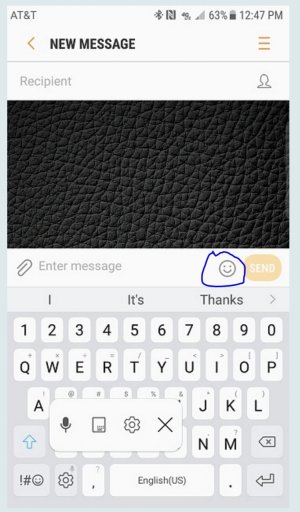
The emoji button is right on the text entry line. Mine shows this way and I'm still on M on my S7. Circled the icon on your screenshot, attached. Hope that helps!

I'm very sorry ... misunderstood the original post so this answer is completely wrong but I don't know how to delete it.
 

Attachments

  • samsung forum help.jpg
    samsung forum help.jpg
    219.3 KB · Views: 11
Last edited:
CWinkler - I think that is what they were talking about, but you are totally right. I was wondering what the issue was because the emoji (smiley) key is right there. Furthermore, they can long press the key to the left of the gear key, the smiley is right there as well. They are posting the screenshot - how do they miss that?
 
I know that you can use the emoji during messaging but that is the only time I can use it. I can't use them anywhere else but during messaging.
 
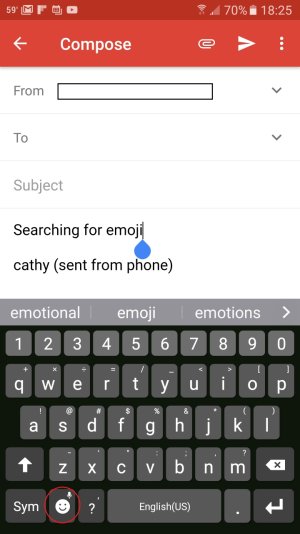
May have found your answer ... on my S7 on M (so can't speak for N), if I'm typing a msg in gmail, there's no clear emoji key ... but if I click on Sym that key, when in a text and not address field, then brings up a key that has the emoji symbol on it. Tried to take a screenshot of the keys, but can't get the screenshot to take :-( ... hopefully you'll be able to see what I mean. Seems to be field / context specific.

OK, got screenshot to take (found instructions on this forum for when palm swipe doesn't work - power and home). You'll see emoji key right to the right of the Sym key. Didn't appear until I clicked on Sym key when typing in text field.
 

Attachments

  • Screenshot_20170329-182549.jpg
    Screenshot_20170329-182549.jpg
    135.5 KB · Views: 7
Last edited:
I've tried that also and it just shows the little gear for options
 

Attachments

  • Screenshot_20170329-202201.jpg
    Screenshot_20170329-202201.jpg
    252.8 KB · Views: 4
  • Screenshot_20170329-202206.jpg
    Screenshot_20170329-202206.jpg
    246.6 KB · Views: 4