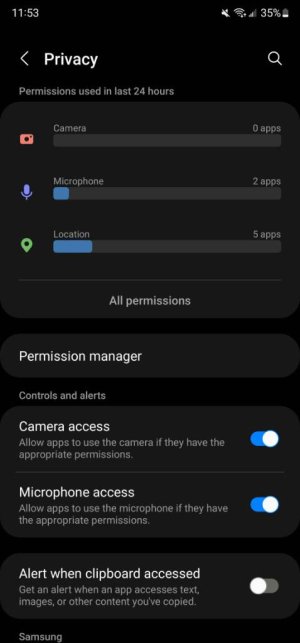
Get Message another app is using the microphone

RonX2

Member
Apr 25, 2020
20
0
0
I'd like to make a recoding but when I activate that app I get the message that another app is using the microphone. No idea which app or how to stop that. Any suggestions? I have a Samsung A51.
 
Welcome to Android Central! Go to Settings>Apps and look for the menu where you can manage Permissions. See what apps have access to the Microphone, and try turning off permissions one by one (starting with the apps you installed that really don't need the microphone).
 
Found that, but hasn't helped. For microphone permissions my choices are allow only while using, ask every time, don't allow. Doesn't matter what I choose, problem is the same.
 
Found that, but hasn't helped. For microphone permissions my choices are allow only while using, ask every time, don't allow. Doesn't matter what I choose, problem is the same.

But do you see a list of apps that have Microphone permission in this menu? This would be the best way to survey your apps to figure out which ones might have Microphone permission that they don't really need.
 
Allowed all the time: No apps
Allowed while in use: Audio Recorder, Camera, Duo (whatever Duo is, I don't use it, but get a warning if I modify the audio permissions). Many more apps.
 
Google Duo is Google's video calling app. I doubt that's causing a problem. About how many more apps have permission? Can you show us a list, or would that be really long?