"Good Lock" Bloatware

Rob.G

Well-known member
Jul 1, 2010
179
0
0
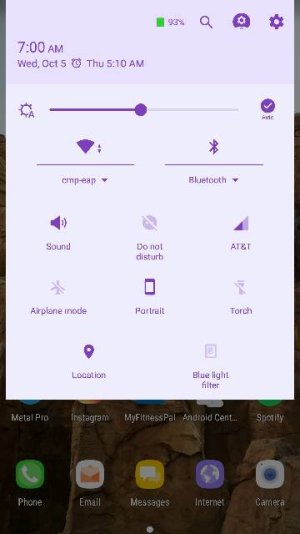
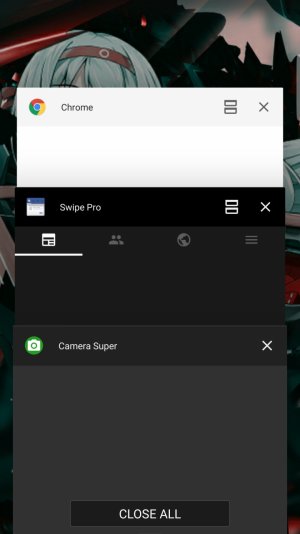
I got a notification that some Samsung apps needed updating. I let it, and then was surprised when the phone rebooted (I thought it had crashed). When it came back up, the notifications menu had gone all "colorful" and crap, along with the top bar and recent apps, etc, etc. It was awful. I was pissed. It took some digging but I found something called "Good Lock" that had been installed without me asking. I was able to uninstall it using the Samsung Galaxy Apps app and of course it had to reboot yet again, but now it's back to normal.

So unless you want some more bloatware jumping in and making a ton of visual changes to your phone that you didn't ask for, avoid this.
 
Personally, I really like Good Lock over the stock setup. I took the time to customize it to where it wasn't so colorful.
This is the first I've hard of it being installed on its own. On my Note5, I had to find and install it manually.
 
It installed on its own for me too. I knew what it was because I tried it before.... But still. Not cool to push it like that.
 
I just got a CNN edge app downloaded to my phone without my permission. I didn't ask for it. I don't want it on my phone. I can't delete it. What sort of brave new world do we have where Samsung can force unwanted propaganda apps on my phone that can't be deleted? I don't want anything to do with it. Note to Samsung: Take it off or the phone is going back. And don't put anything else on my phone without offering it to me and allowing me to accept or reject it.
 
I installed it myself on my Note 7. I customized the color to hues of blue and white fonts to match the color of my phone and my theme. I personally like it better than the standard touchwiz.
But I know what you mean when you say "colorful".:D First time you encounter it and you're greeted by those bright purple colors.
 
Good Lock is awesome. Watch a tutorial or something and see what it has to offer. It's customizable ... you can definitely tone down how "colorful" it is - far from bloat.
 
I have the Good Lock on my GS7e but not on my Note 7. It never installed itself on it's own, though. I had to go out and download it. I actually do like what it offers but one thing that bugs me is that the signal strength indicator does not indicate LTE, which is annoying because it's useful for me to know in the office where LTE service is shoddy.
 
For those having apps installing all by themselves, you might want to check to see if you have an app called dt ignite on your phone. It comes pre-installed as a system app from a lot of carriers, and can be used to download new apps without your permission unless you disable it.

How to disable DT Ignite bloatware | Android Central

Disabling it (thanks for pre-installing it, Verizon :mad: ) was the first thing I did when I got my note, and I haven't seen any new apps show up without my expressly downloading them.
 
I tried it yesterday but my Sprint phone started having weird issues, cannot update profile and OSDM has stopped running plus an email account needed to be redone, I uninstalled it and my phone is fine.
 
AT&T updates

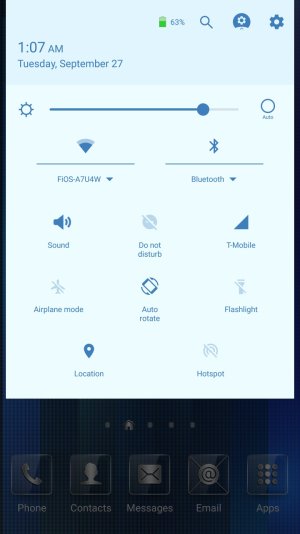
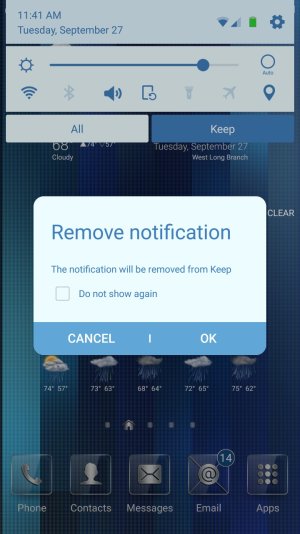
Just noticed that 4 galaxy apps were updated and required a reboot. now my notification bar looks like this.

I need to fix the color..... Lol
 

Attachments

  • 98.jpg
    98.jpg
    21.6 KB · Views: 161
Re: AT&T updates

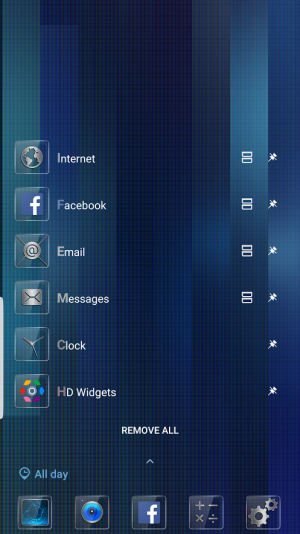
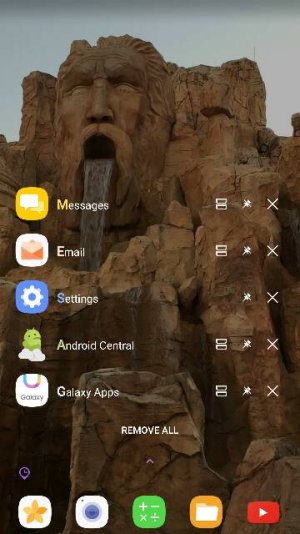
Also changed my view for multiple open apps. wonder if this is the T-Mobile update.
 

Attachments

  • 99.jpg
    99.jpg
    35.2 KB · Views: 159
I tried it on my Note5. I think the shortcuts menu and notifications are better on Grace UX than Good Lock.
 
Shouldn't have installed on its own without your permission, though.

I assume it's DT Ignite.
 
I got a notification that some Samsung apps needed updating. I let it, and then was surprised when the phone rebooted (I thought it had crashed). When it came back up, the notifications menu had gone all "colorful" and crap, along with the top bar and recent apps, etc, etc. It was awful. I was pissed. It took some digging but I found something called "Good Lock" that had been installed without me asking. I was able to uninstall it using the Samsung Galaxy Apps app and of course it had to reboot yet again, but now it's back to normal.

So unless you want some more bloatware jumping in and making a ton of visual changes to your phone that you didn't ask for, avoid this.

Thank you for this post and through it reminding me that I had not turned auto update off on the Samsung apps. I fixed that and now this app cannot update. I would like to know how to disable this app. Galaxy apps says it is installed but I do not see it anywhere in my apps.
 
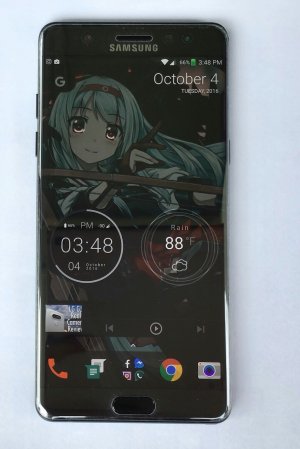
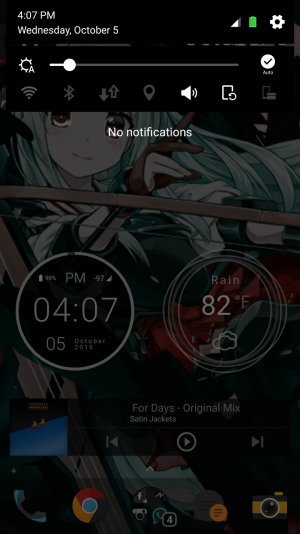
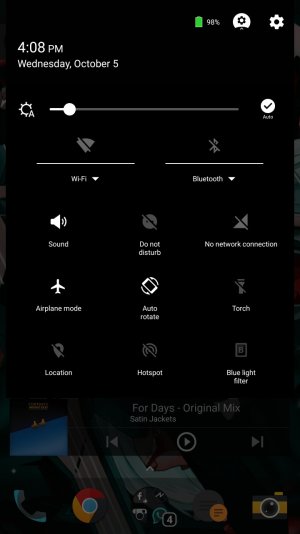
I just thought I'd share how my setup looks like, especially since the recent update allowed me to pick my own custom color, not from a preset palette.

So I went with a true black color scheme.

Screenshot_20161005-160757.jpg Screenshot_20161005-160808.jpg Screenshot_20161005-160844.jpg
 
I just got a CNN edge app downloaded to my phone without my permission. I didn't ask for it. I don't want it on my phone. I can't delete it. What sort of brave new world do we have where Samsung can force unwanted propaganda apps on my phone that can't be deleted? I don't want anything to do with it. Note to Samsung: Take it off or the phone is going back. And don't put anything else on my phone without offering it to me and allowing me to accept or reject it.

Go to Settings / Edge Screen / Edge Feeds and uncheck the Edge Feed you don't like... Will this work for you?
 

Trending Posts

Forum statistics

Threads
962,954
Messages
6,992,287
Members
3,164,953
Latest member
mostafamu