I was using my tab yesterday with a spit screen. Now I can't find how to get back to a full size keyboard on a single screen. I would appreciate some help.
thanks
Oops! I just figured it out. Sorry if I wasted anyone's time!
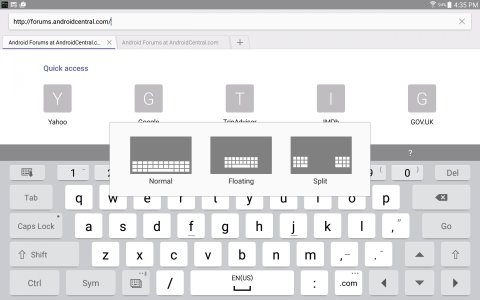
Touch the key next to / and space bar on the left, it will pop up a menu, Touch the one on the right
It will let you choose : Floating, Split, or Normal keyboard
Touch the key next to / and space bar on the left, it will pop up a menu, Touch the one on the right
It will let you choose : Floating, Split, or Normal keyboard
Maybe you can help me. I don't have that keyboard shown in your attachment. I must have installed some ICON keyboard but I just looked though my various apps including all and running and downloaded and can't find a reference to it. I also looked through General/Lang-Input and Keyboards and don't see anything unusual. Any ideas on how to get back to the "NORMAL" keyboard options? Thanks in advance.
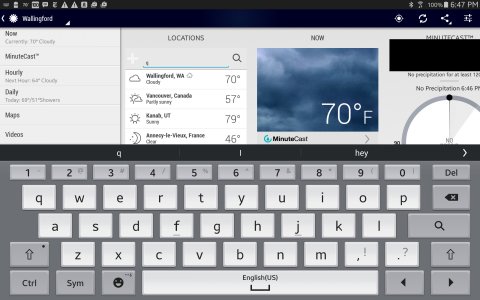
Here's mine
Edited to add: I see that if I press and HOLD on the Emoticon just to the left of the Spacebar, I can invoke the other choices. I will leave my question and solution in case anyone else stumbles on this!
Sorry for the confusion, my model is not the same as yours as well as the layout of keyboard. However, they have similar function to select different keyboards. Normally, just hit the key on the left, next to SPACE BAR.