How to Save photos on SD card through Camera?

Dasanism

New member
May 9, 2014
1
0
0
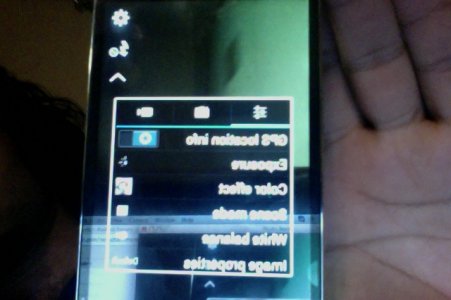
Hello, So I've tried to go into the Camera >Settings>Settings and it just shows me three options

I've attached a photo of those three options, None of those tell me where my photos are saved "Phone or SD storage"

Please help ...
 

Attachments

  • Photo on 14-May-8 at 10.05 PM #2.jpg
    Photo on 14-May-8 at 10.05 PM #2.jpg
    76.8 KB · Views: 40
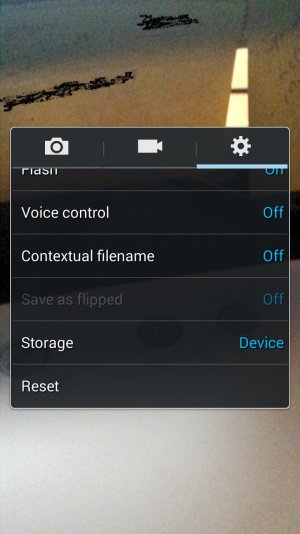
Hi Dasanism. Your picture is hard to see. Here's a cool tip for you. Holding the Home and Power buttons together will take a screen shot of your phone's display. I took one of mine in reference to your concern.

Now, on to your question. The one major question I have is what version of Android are you currently running - Jelly Bean (4.3) or KitKat (4.4)? I am currently running a rooted Jelly Bean OS. Even though I do not believe rooting has anything bearing on this issue, I figured I would let you know. As you can see by my screen shot, the settings option under the camera shows any pictures I take will be placed on my device. I have a SD card but I literally have no space available on it.

Although I have not tested it, there is a reset option available at the bottom of the Settings window. If you see that, tap on it and see if that resolves your issue.
 

Attachments

  • Screenshot_2014-05-09-00-09-19.jpg
    Screenshot_2014-05-09-00-09-19.jpg
    205.8 KB · Views: 7
Tha reset button referred to resets the camera to it's standard settings. And yes Androidcentral8450 method is the way to force the camera to store to the external card. Note that pictures taken that require in phone processing will be stored in the phone DCIM folder. You can move them to the external card after processing. The phone will give a popup message if this is about to happen
 

Trending Posts

Forum statistics

Threads
960,363
Messages
6,982,215
Members
3,164,504
Latest member
Weboh