Lg nexus 5 Battery percentage isn't accurate to battery usage in settings

Zakaria Ouh

Well-known member
Jul 5, 2015
73
0
0
Hey everybody.
I have a nexus five running 6.0.1
My battery life seems bad.
my battery percentage drops down fast
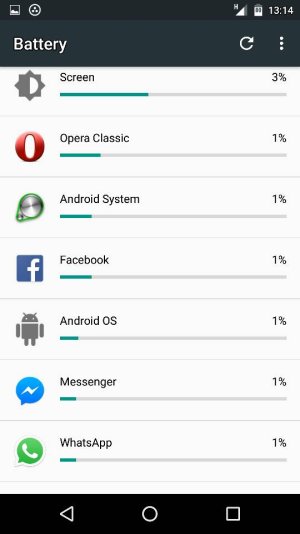
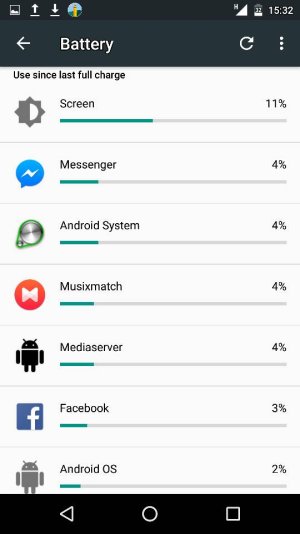
but when i go to battery usage to see what kills my battery,i find that the Consumed percentage there isn't exact like in the embeded battery percentage.
wether my battery isn't calibrated or i got a hidden killer.
please anyone could explain to me what could be my issue.
 
The total percentage of battery use by the listed apps doesn't necessarily add up to the total that you observe was actually used.

Show us some battery stats. Charge up to 100%, then let it drain to 20-30% with normal usage, without charging in between. Then show us:


1. The main Settings>Battery screen.
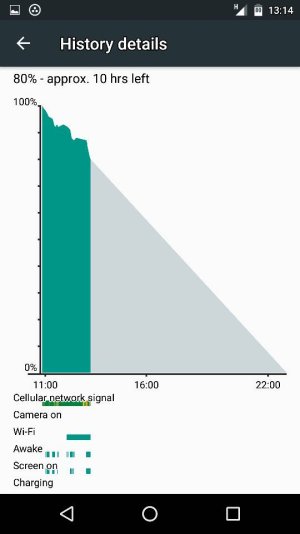
2. The fullscreen battery graph screen (which shows Awake time and Cell Signal Strength).
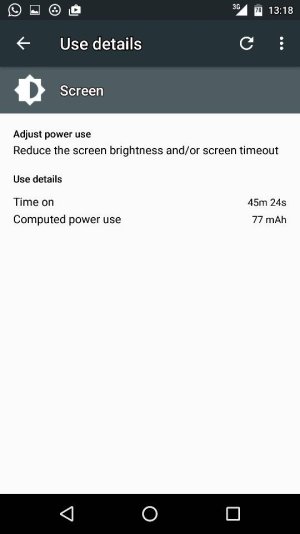
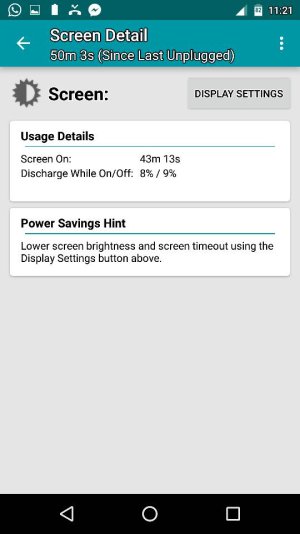
3. The Screen category (to see total Screen On time).
4. The Cell Standby category, if present (to see Time Without Signal).


http://forums.androidcentral.com/am...ide-how-post-screenshots-android-central.html
 
i cannot post photos i dont know why

Posted via the Android Central App
 

Attachments

  • 11977.jpg
    11977.jpg
    37.5 KB · Views: 15
here's one i will try t post the others

Posted via the Android Central App
 

Attachments

  • 11978.jpg
    11978.jpg
    31.2 KB · Views: 15
here's the last one

Posted via the Android Central App
 

Attachments

  • 11980.jpg
    11980.jpg
    36.9 KB · Views: 15
Sorry--it's best to let it drain down to 20-30% and show us the stats, not down by 20-30%. So charge up to 100%, then use it until the battery level is reading 20-30%.
 
Ok dear i will charge it now.
i will be posting thr screenshots tonight.

Posted via the Android Central App
 
I already Have the MOB30D build.
i just recieved another update of 6.0.1 and thought it would fix the problem but it didnt.
i don't know how to fix this problem.
can anyone please help us.

Posted via the Android Central App
 
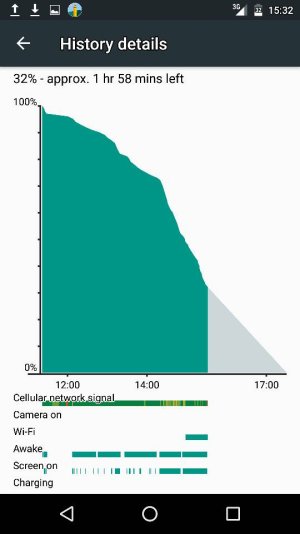
here are the new screenshots

Posted via the Android Central App
 

Attachments

  • 19330.jpg
    19330.jpg
    35.5 KB · Views: 13
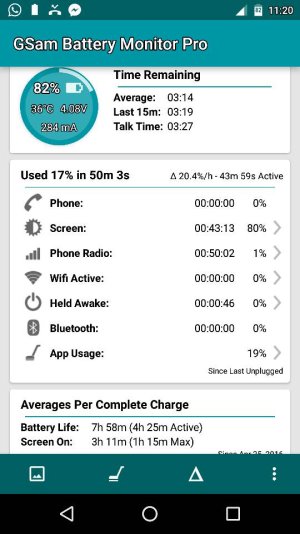
Something is keeping the phone awake a lot, which could impact battery usage. Unfortunately, it can be difficult to tell which app it is using the stock battery menu. Try using GSam Battery Monitor, which can give more details.

The total percentage of battery use if you add up the apps listed in that menu often don't correspond with the actual battery used. I'm not exactly sure about the algorithm, but there may be some unreported apps or services that use battery, or there might be a number of apps that use a fraction of battery (which don't get reported, but that add up to a significant percentage).

Out of curiosity, why are you on 3G? Is there no 4G LTE where you are, or are you purposely forcing it to go to 3G?
 
thank you For your response.
i force my phone to turn to 3G as 4G signal is weak in my house which makes the phone goes to emergency calls only state and drains the battery.
i even Did calibrated my battery after i received another update of 6.0.1
but my battery is still draining.
I will use the app you mentioned and see.
thank you again dear.

Posted via the Android Central App
 
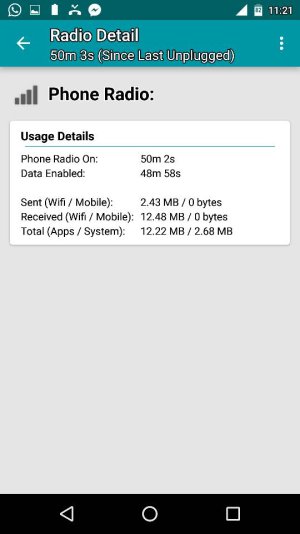
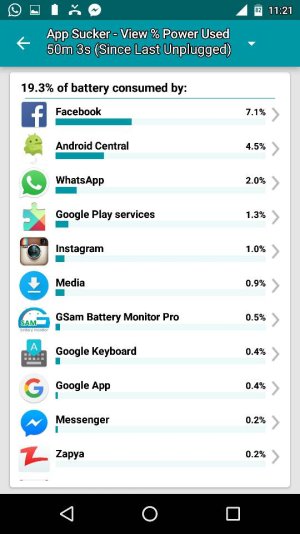
hi after i installed the app you mentioned here's what i found.
can you please explain to me what causes the problem?

Posted via the Android Central App
 

Attachments

  • 20888.jpg
    20888.jpg
    65.6 KB · Views: 14