lines on screen when looking at photos

biggunspaul

Well-known member
Oct 22, 2014
98
0
0
I've just noticed that when looking at photos on my Note I seem to get lines on the screen in a grid like formation,these come and go when zooming in and out,it's like the image is too sharp/the screens sharpness is set too high.

I use to.get the same thing happen on my Note 3 but my Mrs has a note 4 and hers doesn't do it.

Anyone else get this ?

Posted via the Android Central App
 
I don't seem to have that issue on mine... can you take a picture maybe?

Do you have a screen protector on yours?
 
I don't seem to have that issue on mine... can you take a picture maybe?

Do you have a screen protector on yours?

No I don't have screen protector on the phone.

I will try and take a photo of it on my other half's phone.

Posted via the Android Central App
 
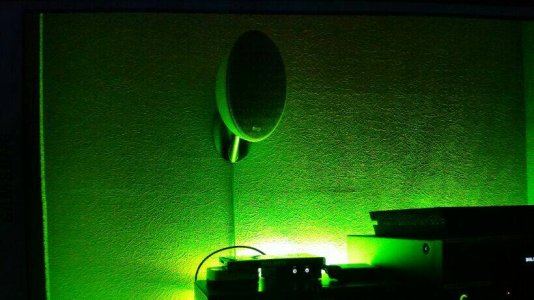
The photo doesn't show it up s bass a it looks on my phone but you can see the lines running through the speaker on the wall and if you look close enough you can see them continue.

This is defo a screen issue as it does it even on the pre installed samsung demo photos

Posted via the Android Central App
 

Attachments

  • ba0f2386-37cd-40a7-80dc-91e1ce9000be.jpg
    ba0f2386-37cd-40a7-80dc-91e1ce9000be.jpg
    65.1 KB · Views: 41
Maybe a battery-saving screen feature or adaptive option?

No don't think it's anything like that as the other half's phone is all set the same and hers doesn't do it

I'm sure its something like the screens sharpness is set too high.

Posted via the Android Central App
 
That's kinda the way mine look when the 'Outside Visibility' mode kicks in. And if you have battery-saving features enabled, it might reduce the resolution the pictures are shown in, but this last part I cannot confirm.
 
It still seems to me like the Adaptive colors might be the issue here... :(

The three pictures above with different colours aren't nothing to do with what's happening on my phone,that's just the lighting in my living room and just posted them up as one member said he liked the green lol
Thought I'd just point that out as don't want people getting confused.

Posted via the Android Central App
 
That's kinda the way mine look when the 'Outside Visibility' mode kicks in. And if you have battery-saving features enabled, it might reduce the resolution the pictures are shown in, but this last part I cannot confirm.

I've figured it out and you were correct about the Adaptive settings.
I didn't think it would be them as they have not been changed by myself,but I forgot that last night I let one of my kids mess about with the phone and they have clearly changed it without me knowing and set it to amoled cinema.

I feel a right fool now lol

Posted via the Android Central App
 
Mines does same thing it looks bad... My screen also is on amoled cinema as I like my colors to pop... But Imma put it back on default if that fixes it

Posted via the Android Central App
 
Adaptive color or whatever that's called seems to work just fine. It'll only do that when you go outside. Then your colors turn into a neon poster and your shadow magically transforms into a white shade (seriously! it's amazing! go try it! haha you need auto-brightness ON, too).
 

Trending Posts

Forum statistics

Threads
962,955
Messages
6,992,294
Members
3,164,953
Latest member
mostafamu