Lock Screen shortcuts

Son Nguyen

Well-known member
Apr 21, 2013
129
0
0
Can anyone on Marshmallow find this in the settings? I need to change one of my shortcuts and it appears as though the setting is no longer there.

Posted via the Android Central App
 
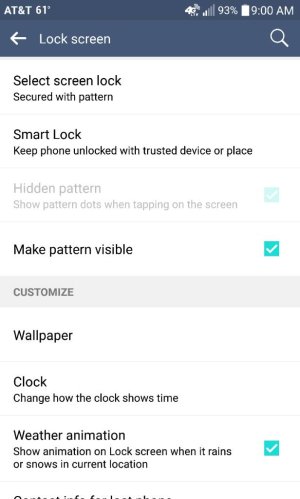
I don't think it exists. Someone posted this earlier and we didn't find anything.

Posted via the Android Central App
 
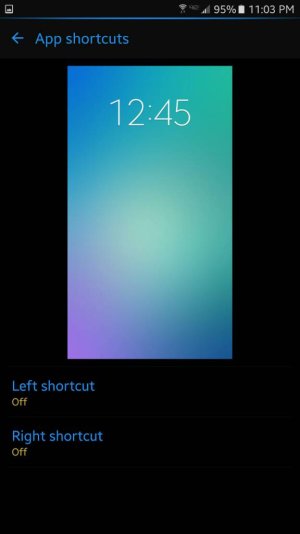
I have a Note 5 with Verizon. Some phones may not have that option. But you can try by going to: Settings > Lock screen and security > Info and app shortcuts > App shortcuts.
You can turn off either one or change to any app.
 

Attachments

  • 1461802587107.jpg
    1461802587107.jpg
    24.9 KB · Views: 62
V10 doesn't have those options. It's either taken off if it's an M option or Samsung adds it.

Posted via the Android Central App
 
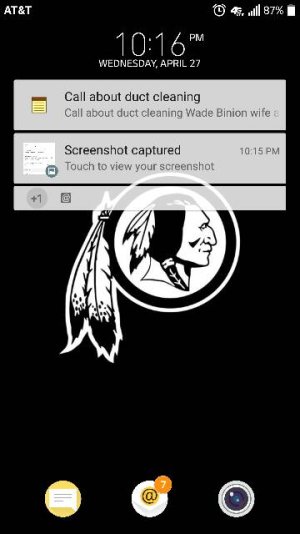
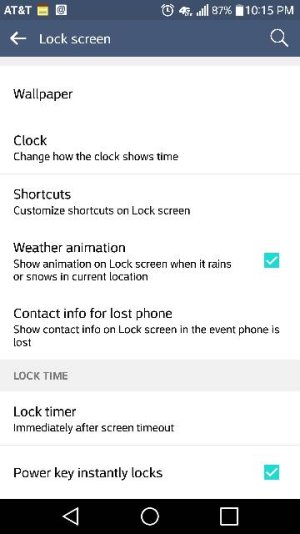
It used to be there under Lockscreen-->Shortcuts I believe prior to the update.

Posted via the Android Central App
 
Under lock screen settings.

Posted via the Android Central App
 

Attachments

  • 87268.jpg
    87268.jpg
    27.5 KB · Views: 85
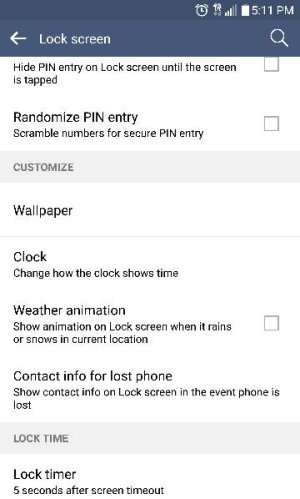
T-Mobile version here and I do not have the shortcut option/button. That's odd that it doesn't when others do.
 
T-Mobile version here and I do not have the shortcut option/button. That's odd that it doesn't when others do.
I'm on AT&T and I don't have it either. Some carriers must be disabling it for some reason. Same with LG Themes and LG Access Lock too. No idea why they would block certain features like that. Probably to add more forced carrier bloat apps. I wonder if any resourceful devs have found a way to add it back in yet. They did for LG Themes and Access Lock.
 
On Verizon-MM its under Settings => Shortcut Key

Its not really programmable though. Double tap Volume+ and it brings up the screen capture app. Double tap Volume- and it opens the camera. It would be nice if I could activate the flashlight with a Volume+ double tap. I can't think of any practical reason to instantly access the Capture+ screen, from idle standby.
 
kramer5150, you're referring to the physical button shortcuts. I was referring to the app shortcuts on the lockscreen. I have AT&T and the setting to customize it disappeared with the Marshmallow update.

Posted via the Android Central App
 
Here is a screen shot of T-mobile 6.0.

Posted via the Android Central App
 

Attachments

  • 1349.jpg
    1349.jpg
    28.3 KB · Views: 67
Very weird that some of us on AT&T have it and some of us do not.

Posted via the Android Central App
 
I believe that on MM, if you have some form of security for the lockscreen (ie fingerprint) you can't edit the app shortcuts. However I am unsure. Just a hunch. I have an ATT Lollipop V10 and I do have the option.

Posted via the Android Central App
 

Trending Posts

Forum statistics

Threads
960,582
Messages
6,982,928
Members
3,164,544
Latest member
jocar37