Moto X: vibrate to silent

anon(8627824)

Well-known member
Feb 28, 2014
98
0
0
Anyone else having issues with how easy it is to set your ringer one click too far and set it on silent, when you intended to place it on vibrate? I miss my old Backberry's switch that turned the ringer off and vibrate on. I wish there was a way to inactivate the silent mode. Anyone have thoughts?
 
Last edited by a moderator:
Re: vibrate to silent

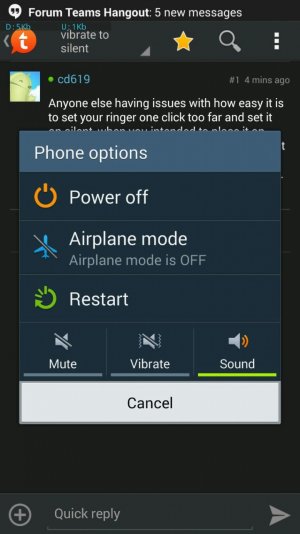
I don't have an x, but can you set it by long pressing the power button with the screen on? I can do it with my note. Or you can put a widget on the home screen or in the notification bar


uploadfromtaptalk1393550910802.jpg

dpham00, Android Central Moderator
Sent from my Verizon Samsung Galaxy Note 3 via Tapatalk Pro
 
Re: vibrate to silent

I don't have an x, but can you set it by long pressing the power button with the screen on? I can do it with my note. Or you can put a widget on the home screen or in the notification bar


View attachment 106154

dpham00, Android Central Moderator
Sent from my Verizon Samsung Galaxy Note 3 via Tapatalk Pro

This

-Moto X-
 
Re: vibrate to silent

I need to retain myself to access the feature that way...

thanks!

If I am understanding you correctly, you do not want the phone to accidentally go into silent when you are pressing the volume down key. I don't know if there is a way to fully lock that option out, but you can use an app like "volume locker" from the play store which you can set to require a confirmation of any volume change, and have it revert to the previous volume automatically if you do not confirm.

dpham00, Android Central Moderator
Sent from my Verizon Samsung Galaxy Note 3 via Tapatalk Pro
 
I downloaded some widgets by DROIDMANIA, one of which is a ringer widget that make using the volume rocker for this purpose obsolete.

Just search "DROIDMANIA widgets in the play store"
 

Members online

Forum statistics

Threads
960,445
Messages
6,982,429
Members
3,164,518
Latest member
Gs000