Note7 Calendar Icon Not Changing Date

Jad Morffier

Well-known member
Jun 19, 2016
75
0
0
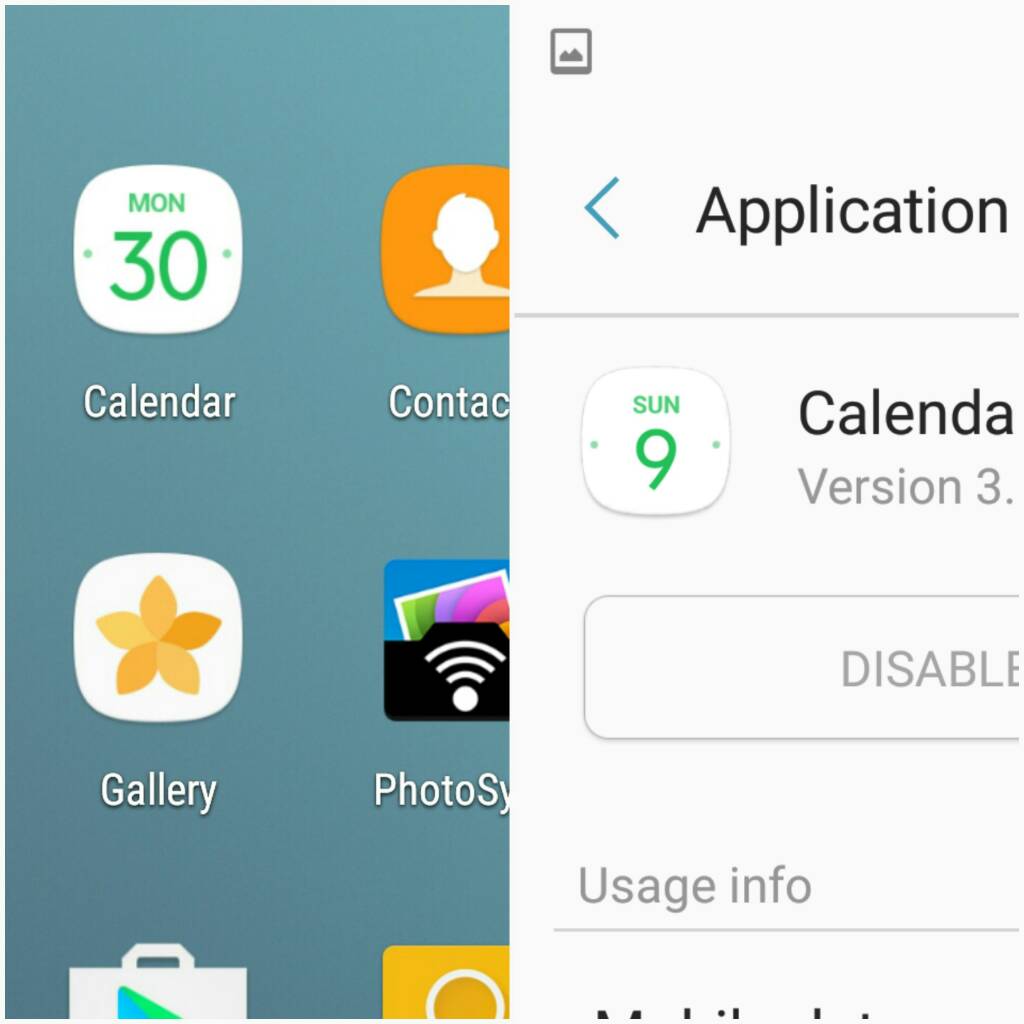
This is the least of my worries but I find it odd that the default calendar for the Note7 doesn't show you the current date on the icon for it.

It's been sitting on Mon 30 since I picked it up yesterday. Being that today is Friday 7 this is not very helpful lol
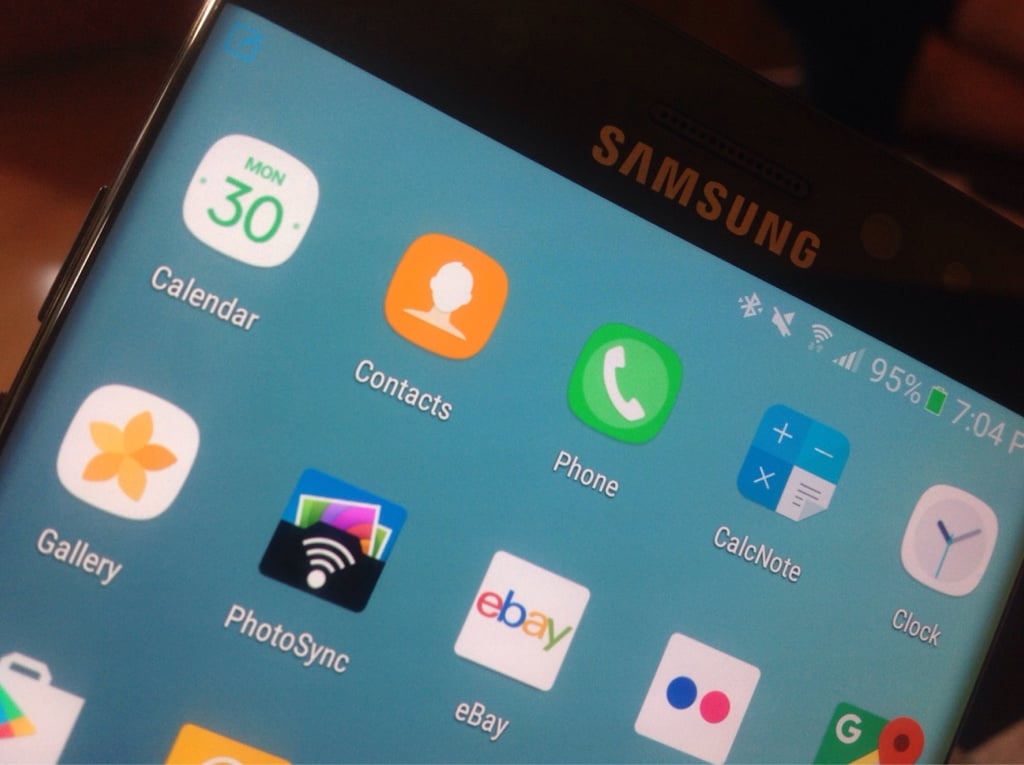
dd624373ece4887f438335ed7e101160.jpg


What is even more puzzling is I installed the Note7 rom on my Note 4 and the calendar app works fine...
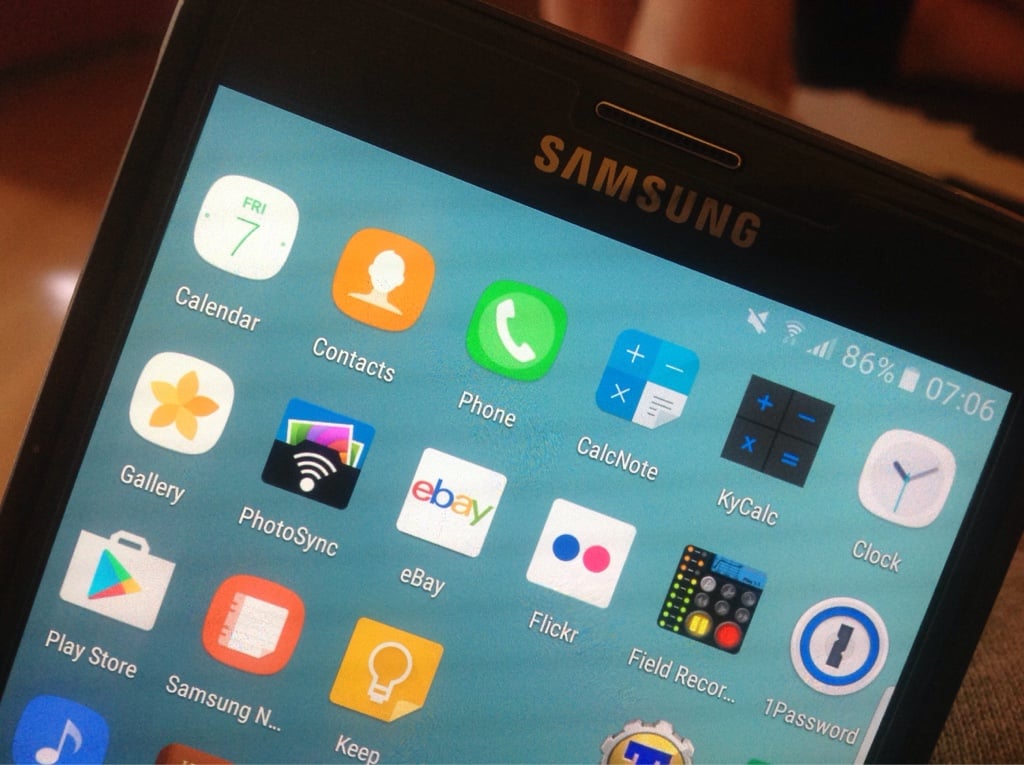
11afddf3d7c22adc05f09bb6dc4ed982.jpg
 
I didn't even know that the calendar icon does that.Shows how much I pay attention. Lol
 
This is the least of my worries but I find it odd that the default calendar for the Note7 doesn't show you the current date on the icon for it.

It's been sitting on Mon 30 since I picked it up yesterday. Being that today is Friday 7 this is not very helpful lol

//uploads.tapatalk-cdn.com/20161007/dd624373ece4887f438335ed7e101160.jpg

What is even more puzzling is I installed the Note7 rom on my Note 4 and the calendar app works fine...

//uploads.tapatalk-cdn.com/20161007/11afddf3d7c22adc05f09bb6dc4ed982.jpg
It looks like your clock icon is not changing to show the correct time as well.. Both the date and clock should b showing the correct date n time.. I'll see if I can find a solution for u soon...
 
It looks like your clock icon is not changing to show the correct time as well.. Both the date and clock should b showing the correct date n time.. I'll see if I can find a solution for u soon...
Are you serious the clock app icon is supposed to change as well!? lol
 
I noticed that when I first got mine, the only time the date changes is after you restart your phone, then that date shows until you restart again. Hopefully an update will fix that soon.
 
I noticed that when I first got mine, the only time the date changes is after you restart your phone, then that date shows until you restart again. Hopefully an update will fix that soon.

I just rebooted my Note7 and it's still stuck on Mon 30. :(
 
I noticed this too! At first I thought it was an issue with Nova Launcher, but now I see that it is just with the Note 7 lol. I really miss having the icon show the correct date :( Hopefully they fix it with an update..... if there is ever an update..
 
Wanted to ask if ur using any themes?

Ah yes you worked it out for me! Thanks. I am using Nova Launcher Prime. When I go back to TouchWiz both the Calendar and Clock icons are up to date again.

In saying that though, I have a full Note7 port rom on my Note 4. The calendar icon works fine with Nova Launcher Prime.
 
Ah yes you worked it out for me! Thanks. I am using Nova Launcher Prime. When I go back to TouchWiz both the Calendar and Clock icons are up to date again.

In saying that though, I have a full Note7 port rom on my Note 4. The calendar icon works fine with Nova Launcher Prime.
I use Nova Prime too. The icon doesn't change. But if you install the the actual Google calendar, *that* icon does change. Unfortunately, I like the Samsung calendar app better, especially because it has year view.

I wrote to the devs a few weeks ago. They replied,
"I believe this is because Samsung has removed the code for that to update with their own themes/icons when using 3rd party launchers."
 
I use Nova Prime too. The icon doesn't change. But if you install the the actual Google calendar, *that* icon does change. Unfortunately, I like the Samsung calendar app better, especially because it has year view.

I wrote to the devs a few weeks ago. They replied,
"I believe this is because Samsung has removed the code for that to update with their own themes/icons when using 3rd party launchers."

Wow interesting stuff. Thanks for sharing. Yes I prefer the Samsung calendar myself as well.

I wonder why it still works for me in my Note7 Rom on my Note 4 with Nova Prime. Just the calendar icon not the clock icon.
 

Latest posts

Trending Posts

Members online

No members online now.

Forum statistics

Threads
961,063
Messages
6,984,803
Members
3,164,640
Latest member
sukarisw22