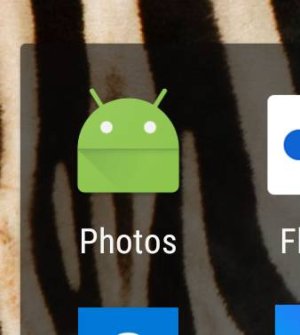
S Snazrael New member Jun 12, 2013 1 0 0 May 21, 2017 #1 Anyone else loose their Photos app icon after updating to O and installing the latest Photos app update? Attachments 42462.jpg 12.1 KB · Views: 59
Anyone else loose their Photos app icon after updating to O and installing the latest Photos app update?
B Bruce39 Well-known member Dec 30, 2014 232 0 0 May 23, 2017 #2 Yes, I believe that is a known issue. On my 6P, it looks like that on my home screen and app drawer but works ok (just like before)
Yes, I believe that is a known issue. On my 6P, it looks like that on my home screen and app drawer but works ok (just like before)
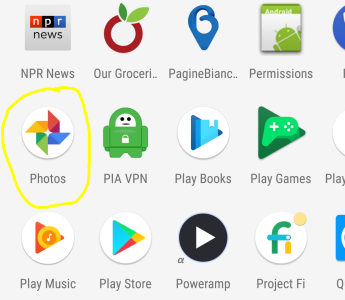
N4Newbie Trusted Member Nov 15, 2012 5,002 1 36 May 25, 2017 #3 I'm still showing this one in both the app drawer and a folder on my home screen: Google Pixel XL, Android O build# OPP2.170420.019
I'm still showing this one in both the app drawer and a folder on my home screen: Google Pixel XL, Android O build# OPP2.170420.019
L Lincol Claudio New member May 27, 2017 1 0 0 May 27, 2017 #4 On my 6P, Google Photos icon changed to generic Android icon. Just after updating to O.
N4Newbie Trusted Member Nov 15, 2012 5,002 1 36 May 28, 2017 #5 Lincol Claudio said: On my 6P, Google Photos icon changed to generic Android icon. Just after updating to O. Click to expand... Interesting. I installed the O beta on my Pixel XL almost immediately after it went public; I also picked up a Photos update yesterday. Then and now, my icon has not changed - it still looks like the image I posted above.
Lincol Claudio said: On my 6P, Google Photos icon changed to generic Android icon. Just after updating to O. Click to expand... Interesting. I installed the O beta on my Pixel XL almost immediately after it went public; I also picked up a Photos update yesterday. Then and now, my icon has not changed - it still looks like the image I posted above.
SRFast Well-known member Oct 6, 2014 255 0 16 May 29, 2017 #6 The Google Photos icon changed to the generic Android icon on my Nexus 6P also. App runs OK.
N4Newbie Trusted Member Nov 15, 2012 5,002 1 36 May 30, 2017 #7 Seems like a 6P thing... You all could try uninstalling updates for the Photos app and then re-updating.
Seems like a 6P thing... You all could try uninstalling updates for the Photos app and then re-updating.