RCS on AT&T Connecting

Looked just now same not connected, cleared Data, cache and force stop Same
 
It hasn't been working today on Verizon. I get a "connecting" message in Settings/Chat features
 
My RCS (Verizon) is still in the "Connecting" mode. Not that it really matters, as there is only one other person that I use it with. Otherwise, Messages is working well with my other contacts.
 
I had the same issue on Verizon today and solved it by force stopping Messages, uninstalling the latest update, and then reinstalling. Also I am on the latest version of Android 10. Hope that this helps.
 
No option to Clear the cache in the Carrier Services App.
 
I'm using the beta version of the messages app. I did force stop it, and restarted the phone. I didn't see an option to uninstall the latest update.
 
I'm using the beta version of the messages app. I did force stop it, and restarted the phone. I didn't see an option to uninstall the latest update.
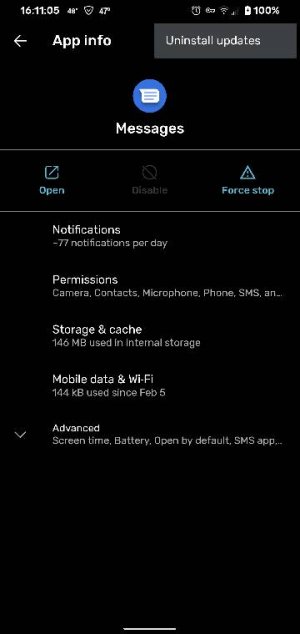
Try this. Go to apps notications/all apps /messages. Look for the three dots. Uninstall updates. See photo. Good luck! Screenshot_20200304-161106.jpeg
 
@fwn...I see that option now. If I go back to the factory version, will I lose all of my current text messages? Thanks.
 
Nope, the message storage is separate from the app (just don't clear data for Contact Storage app, that's where your texts also reside)
 
I also should have added, I then updated the app and everything works perfectly. Good luck to you.
 
Uninstalled updates, restarted phone, updated the app. RCS is still not functioning. Still in the "Connecting" mode. ?? Other than no RCS functions, Messages works just fine with all of my contacts. Not sure what else to do.
 
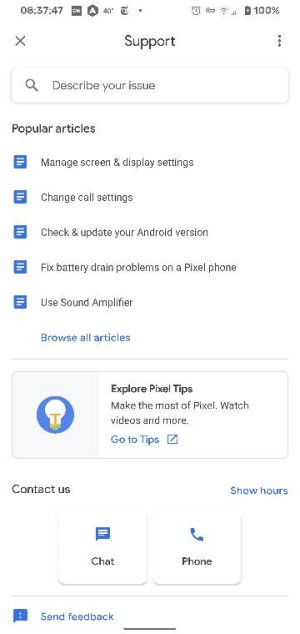
Have you reached to Google? They helped me.
Uninstalled updates, restarted phone, updated the app. RCS is still not functioning. Still in the "Connecting" mode. ?? Other than no RCS functions, Messages works just fine with all of my contacts. Not sure what else to do.