

- Jan 19, 2014
- 45
- 0
- 6
I have several contacts whose info (phone number/email) has changed. Or in the case of some people, they have gotten rid of their land line, so now there's not really a "home" number. I can't seem to get rid of the no-longer-needed info. This is what I've done:
Open contact
tap Edit
Tap the (-) minus sign next to the number/email that isn't needed any more
Tap Save
But, then when I open that contact again, all the old info is still there (along with the correct info). I did make the current info the "default" info, but I can't see to just delete an obsolete phone number or email.
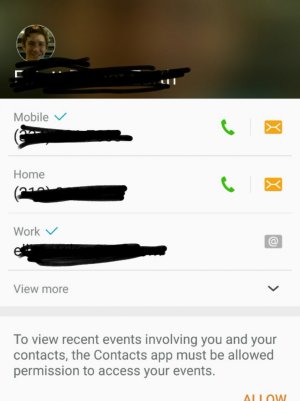
This is what I see after I've done the above for the phone number listed as "home." Help?
Open contact
tap Edit
Tap the (-) minus sign next to the number/email that isn't needed any more
Tap Save
But, then when I open that contact again, all the old info is still there (along with the correct info). I did make the current info the "default" info, but I can't see to just delete an obsolete phone number or email.
This is what I see after I've done the above for the phone number listed as "home." Help?



 Facebook
 Twitter
 Instagram