S9+ Ethernet connection is greyed out

kosm81

New member
Mar 29, 2018
2
0
0
Hi,

I want to use my Pc internet to connect with Galaxy S9+ through USB, but the option of Ethernet is greyed out (/more connection settings/Ethernet).

Is it Possible to REVERSE tethere? This really should be a must function for a "smart" phone.

Thank you for your help!
 
After you connect your phone to the computer pull down the notification bar, tap on the usb connection notification and chose rndis usb ethernet
Or
Developer options, usb configuration, rndis usb ethernet
 
Thank you for your answer but in notification bar I can only choose transfer files, transfer images, connect a midi device, charge this phone or charge connected devices.

I also tried developers options (where I can do what you suggested) and still nothing. Tried to disable pc firewall, but that apparently is not the problem. Can I try anything else or am I missing something?

Thank you!
 
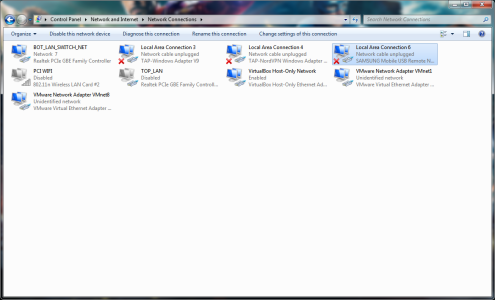
after you connect the mobile to your pc go to developer options and chose rndis usb ethernet. after that wait for the pc to install the samsung network connection.
ndis.png

after that it gets a bit complicated
watch this video from minute 3:00 onwards

https://youtu.be/PQNAicZ0980?t=3m

i have tried it but it did not work for me but maybe because i have loads of network adapters and devices but if you only have one pc connected to your modem it should work