
- Nov 11, 2014
- 64
- 0
- 0
New to all this & just got my Note 4 mainly for the "note" feature (this thing is what I had always wished my Palm Pilot could be way back when), but not finding it overly user friendly. I'm sure it'll get better as I learn the ins & outs. I admittedly haven't read a lot about it yet in help or the forums, but thought I'd post here & see. I apologize in advance if this has been covered in another thread.
1) When I open S-note, sometimes it shows all my note covers (which is what I want) and sometimes only one note cover & I have to either scroll left/right or go to "All" in the menu. Is there a way for "All" to always come up? One of my employees has a N3 & his always comes up up All.
2) Is there a way to apply a specific cover to a specific note? All I see is either they all have the same cover or random covers
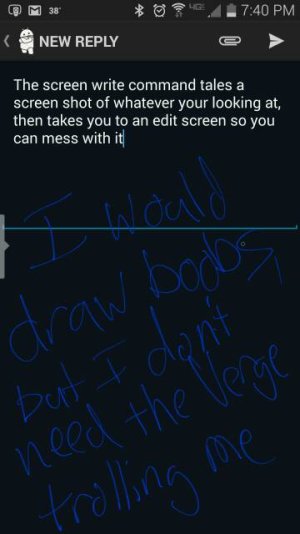
3) S-pen "screen write" air command seems like it should take me into edit mode, but it takes a picture/copy of the note which I can then edit. So far Air Command modes seem useless, but I'm sure its me just learning how to maximize all the features.
Appreciate any help...Thanks!
1) When I open S-note, sometimes it shows all my note covers (which is what I want) and sometimes only one note cover & I have to either scroll left/right or go to "All" in the menu. Is there a way for "All" to always come up? One of my employees has a N3 & his always comes up up All.
2) Is there a way to apply a specific cover to a specific note? All I see is either they all have the same cover or random covers
3) S-pen "screen write" air command seems like it should take me into edit mode, but it takes a picture/copy of the note which I can then edit. So far Air Command modes seem useless, but I'm sure its me just learning how to maximize all the features.
Appreciate any help...Thanks!





 Facebook
 Twitter
 Instagram