Status Bar Time Problem

DR-1

New member
Feb 26, 2019
3
0
0
Hi, i'm new to this forum, and i have a question that i'm hoping you guys can help me with, here goes.

i just got a brand new S9 and in the upper left hand side of the screen (i believe its called the status bar) it shows the time, problem is i can't get rid of it!

can someone please tell me how i can make it go away!

thanks for your help
 
I don't think the default Samsung launcher let's you. I use the Microsoft Launcher and it has an option to get rid of the status bar altogether. Not just the left hand clock though.
 
Yes the time is always showing in the left corner of the notification bar. It can't be removed. This is the way it is in Pie.
 
good to know guys! thanks for the quick response, this has been driving me nuts for the last week trying to get rid of it!

at least i now know that its part of the software
 
Just download "UI Tuner Launcher" from the Play Store. This allows you to remove the time from the status bar.
 
Just download "UI Tuner Launcher" from the Play Store. This allows you to remove the time from the status bar.
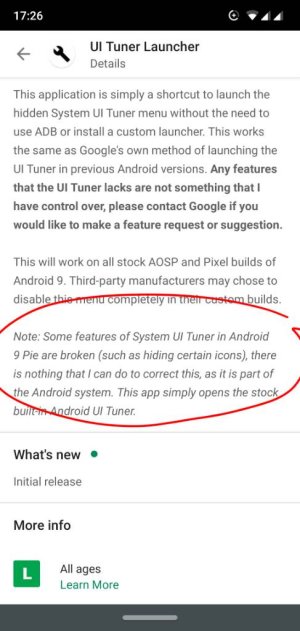
Welcome to the forums. This app won't solve the problem in question, it only works as a shortcut creator for the System UI Tuner activity (called Demo mode after Pie). Some changes on the status bar, like the time, don't stick and you get the original icons back pretty soon. The app description is very clear about these limitations.
IMG_20190228_172633.jpeg
 
Some of us have tried different methods to enable the hidden System UI Tuner (Nova launcher, shortcut creators ...) and the results are always the same. Some icons, like battery, stay hidden for good and others, like time, come back a few minutes later.
 

Trending Posts

Members online

Forum statistics

Threads
961,113
Messages
6,985,041
Members
3,164,652
Latest member
phrepai11