Unknown icon in the status bar

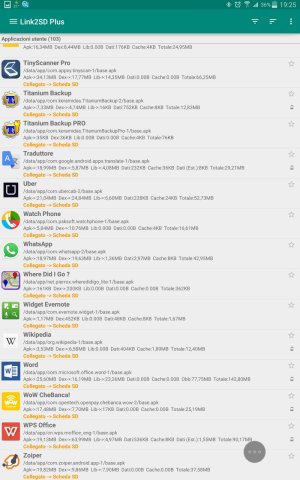
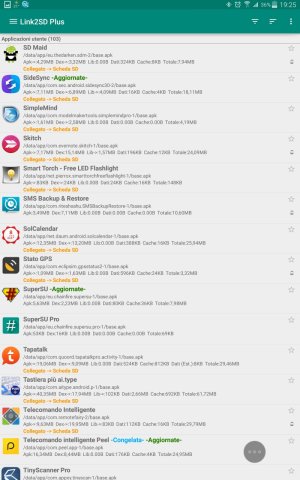
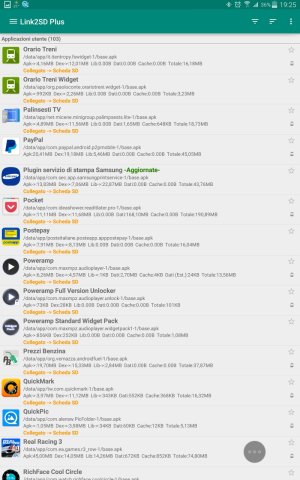
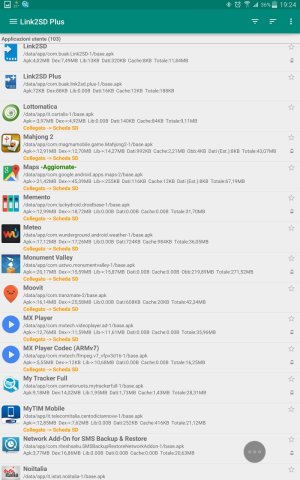
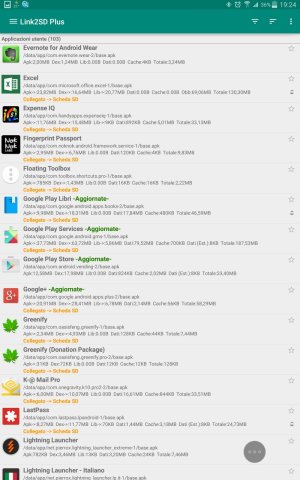
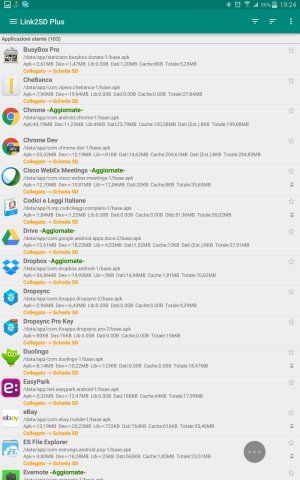
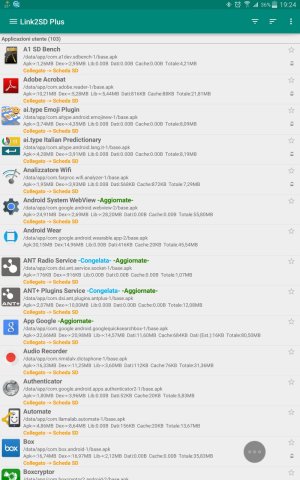
Can you list all the apps you have downloaded form Play? You can skip any Google ones.
 
Based upon what apps I have used recently or have had in the past I can help eliminate some of them.
It isn't any of the Google apps (I don't recognize it, and I use a lot of Google services. Google would most likely put what app is going on in the notification shade as well). It isn't PowerAmp, WiFi Analyzer, ES File explorer, DuoLingo, or Titanium Backup.

Maybe others can join in and help ID what the icon isn't. (Process of elimination is the only thing I can think of aside from resetting the device and slowly re adding apps. Not the best solution in this case.)

Thinking along Javier's line of thinking....is there a watch notification for Evernote?
 
Based upon what apps I have used recently or have had in the past I can help eliminate some of them.
It isn't any of the Google apps (I don't recognize it, and I use a lot of Google services. Google would most likely put what app is going on in the notification shade as well). It isn't PowerAmp, WiFi Analyzer, ES File explorer, DuoLingo, or Titanium Backup.

Maybe others can join in and help ID what the icon isn't. (Process of elimination is the only thing I can think of aside from resetting the device and slowly re adding apps. Not the best solution in this case.)

Thinking along Javier's line of thinking....is there a watch notification for Evernote?
And 'possible, but I have installed apps other than those that I use regularly. I sent a communication to the producers of apps whose renovation coincided with the appearance of the icon, but are still waiting for feedback. personal thought: he wants a law that prevents release of the software for which you have not done so to declare the functional requirements and operating. today is the Wild West, everyone does what he wants. does not matter if the software costs $ 1m or 1 cent, when it creates false illusions, the producer must pay. I have seen clients pay $ 300,000 for licenses to Oracle and to note bugs that have been resolved thanks to the talent of programmers outside Oral. It is time to stop

Inviato dal mio SM-T705 utilizzando Tapatalk
 
Based upon what apps I have used recently or have had in the past I can help eliminate some of them.
It isn't any of the Google apps (I don't recognize it, and I use a lot of Google services. Google would most likely put what app is going on in the notification shade as well). It isn't PowerAmp, WiFi Analyzer, ES File explorer, DuoLingo, or Titanium Backup.

Maybe others can join in and help ID what the icon isn't. (Process of elimination is the only thing I can think of aside from resetting the device and slowly re adding apps. Not the best solution in this case.)

Thinking along Javier's line of thinking....is there a watch notification for Evernote?

I was thinking about Android Wear as well. Switch the watch off and back on after a while and see if it makes a difference
 
I was thinking about Android Wear as well. Switch the watch off and back on after a while and see if it makes a difference
your reasoning is rational, unfortunately I think I will have to proceed with a total reset. Reconfigure all apps 😭😭😭 since I switched to Lollipop I reset 2 times 😭😭😭

Inviato dal mio SM-T705 utilizzando Tapatalk
 
First thoughts - you have WAY too many apps installed. Delete anything you haven't used in 14 days, that by itself will solve most problems you encounter.
 
I did not know this app. I never installed. probably the icons are similar.

I did not know this app. I never installed. probably the icons are similar.

Inviato dal mio SM-T705 utilizzando Tapatalk

So this app is not installed on your phone? The icons are exactly the same.. I have Paperboy installed and I have that notification showing, looks exactly the same.
 
So this app is not installed on your phone? The icons are exactly the same.. I have Paperboy installed and I have that notification showing, looks exactly the same.
thanks for your contributions

Inviato dal mio SM-T705 utilizzando Tapatalk
 
Updated: 48 hours have passed without the appearance of the icon unknown. The only activity riconducibe non reappearance icon unknown is the launch of Titanium Backup, installed but never opened.
In my previous experience with TB have never seen appear the icon in question before using the app.

Inviato dal mio SM-T705 utilizzando Tapatalk
 
Updated: 48 hours have passed without the appearance of the icon unknown. The only activity riconducibe non reappearance icon unknown is the launch of Titanium Backup, installed but never opened.
In my previous experience with TB have never seen appear the icon in question before using the app.

Inviato dal mio SM-T705 utilizzando Tapatalk

What happened to cause it to stop? Did you you get rid of a bunch of apps?
 
What happened to cause it to stop? Did you you get rid of a bunch of apps?
unfortunately I do not know to be more specific. The icon disappears coincided with the setup of Titanium Backup.

Inviato dal mio SM-T705 utilizzando Tapatalk
 
unfortunately I do not know to be more specific. The icon disappears coincided with the setup of Titanium Backup.

Inviato dal mio SM-T705 utilizzando Tapatalk

No worries...just curious. At least it doesn't seem to be returning.
 
The icon looks like a list or a note. Check any app to take notes or to-do list. It's just a guess and most icons on the left should have a notification. Also check in the Play Store if there's any app with an update pending.
just minutes ago, the icon reappeared
just minutes ago icon èricomparsa😭😭😭

Inviato dal mio SM-T705 utilizzando Tapatalk


Inviato dal mio SM-T705 utilizzando Tapatalk
 

Forum statistics

Threads
962,644
Messages
6,991,224
Members
3,164,891
Latest member
TOOLS