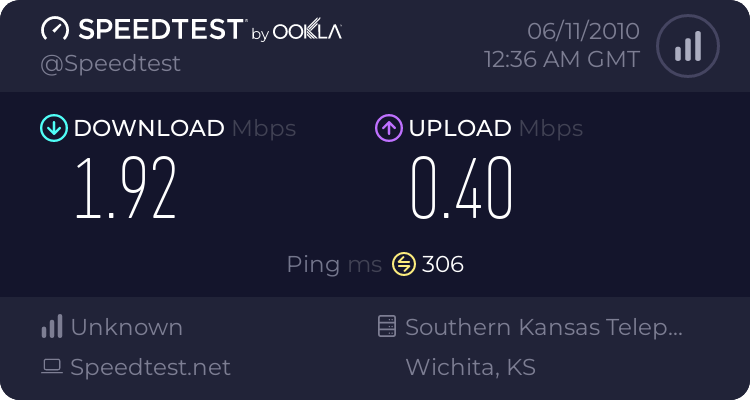
USB Tether -- The old school method:

ok, ive tried the scripts with both sh, and bash, no lovin...it wont run the intpreter. However, if you call "bash usbt" it will run, but errors out. im thinking its a permissioning issue. I picked apart the a2sd script (which runs fine and doesnt require su), and it has different permissions than 0755. Unfortunately, i dont know the CHMOD hex code to duplicate the permissions.

-rwxrwxrwx root root 10455 2008-08-01 08:00 a2sd

Try chmod 0777
Thanks for your continuing efforts. Work prevents me from tinkering at the moment.:)
 
Its working for me even tho my pc shows no connection.It even says local area connection is unplugged but im posting this with it tethered.
 
ok, so howd u get it working?

attach ur script, not just the code, where did u push it, and permissions....

or are u running the new PRI?
 
This is all i did thanks (flipfone)
adb shell
#!/system/bin/sh
# start USB tether woot!
/system/bin/netsharing net on && echo 4 > /sys/devices/platform/msm_hsusb/usb_function_switch

thats all i did and it worked.I have the 1.7 pri
 
ah, u are running it from a local linux prompt on ur cp? not a script pushed to the phone?

it works for me manually from ADB, but not from a script pushed to the phone...

some missing info from that post...
 
Last edited:
ah, u are running it from a local linux prompt on ur cp? not a script pushed to the phone?

some missing info from that post...

All i did was run those commands in command propmt.I have a netbook with xp and destop with xp both it works on.
 
sorry if im a bit slow beezy, but no script? i still dont get it.

You typed those commands? so no script?

the confusion is 2 of those lines don't appear to be commands, rather comments from a shell script ie the # lines...
 
Last edited:
X
sorry if im a bit slow beezy, but no script? i still dont get it.

You typed those commands? so no script?

yeah I just typed it,sorry I'm driven. My pc acts like its not connected but it is. Used tether for about a hour.
 
gotcha, thats manual, works for me too, as well as the others...

a few of us are trying to make a script to push to the phone so u can just type "usbt" and it will execute that awful command.

Not having much luck.
 
gotcha, thats manual, works for me too, as well as the others...

a few of us are trying to make a script to push to the phone so u can just type "usbt" and it will execute that awful command.

Not having much luck.

Yeah I'm going to lock myself in my dungeon when I get home I got sum ideas hopefully they work.
 
#!/system/bin/sh
# start USB tether woot!
/system/bin/netsharing net on && echo 4 > /sys/devices/platform/msm_hsusb/usb_function_switch
#done

ok i pushed that to /system/xbin chmod 777 usbt and it executes and the pc sees the connection, under XP, i hear the da-ding!, then it closes after a minute. i just sent it to rufflez as well hes trying on his mac.

and when your done you must system/settings/wireless/and uncheck Internet sharing.
 
Last edited:
aha! so it was permissions!

dammit, still doesnt work:

# ls -l usbt
ls -l usbt
-rwxrwxrwx root root 146 2010-06-10 20:05 usbt
# usbt
usbt
usbt: not found
#

i wonder if its my file itself it doesnt like

flipfone, can u attach your actual file?
 
Last edited:
got it to work on linux (didn't chmod 0777 usbt) but i got it to work on my linux machine... doing it now. Couldn't get it to work on my mac though... but then again... I've only understood what you guys were talking about a few minutes ago. I'm typing this now from my linux box :)

we can't upload bash files... but you can make it easily. use a text editor and copy and paste what was posted before starting with #!/system/bin/sh and ending with #done and save the file to whatever you can remember
place the file in the tools folder of the sdk
open command prompt/terminal
cd android-sdk-mac_86/tools (change according to your platform)
./adb remount (remove ./ for windows)
./adb push FILENAME /system/xbin

on a terminal emulator on your phone:
su
cd /system/xbin
FILENAME

and you're all set. Please make corrections as needed guys. The problem with mac is a driver issue. I'll search to see if there is a driver app that will work with it. I already tried one for the Moto Q CDMA without success. It just will not pull up USB devices in network preferences on a mac without you trying to set it up as a modem specifically (i.e. dialing out and using a login and password)
 
Last edited:
aha! so it was permissions!

dammit, still doesnt work:

# ls -l usbt
ls -l usbt
-rwxrwxrwx root root 146 2010-06-10 20:05 usbt
# usbt
usbt
usbt: not found
#

i wonder if its my file itself it doesnt like

flipfone, can u attach your actual file?

if that file is in /system/xbin then download TERMINAL from the market. then run it and usbt<enter> yes ill attach my file as soon as possible. unless rufflez ups it first.
 
you can't attatch the file. host it somewhere... like 4 shared. I'm not exactly sure where to do chmod 0777 (do I put it at the end of the bash file?)

BTW, I got the fastest speeds ever just now in my Home Town. I got faster when I was in Gainesville, FL, but the tower was like 200 yards away. This is with 2 bars:
 
im using vista now, and i tried with xp earlier

i have no problem pushing the file, or the chmod, it just wont execute for some reason

id like an actual physical copy of flipfone's script file to rule out the way im creating the file.
 
the chmod 777 is a commandline permission change. one shot deal. as suggestred, use terminal if u cant use adb.

terminal did not execute the script either
 

Trending Posts

Forum statistics

Threads
960,681
Messages
6,983,217
Members
3,164,543
Latest member
rajaryson24