
- Dec 13, 2014
- 2
- 0
- 0
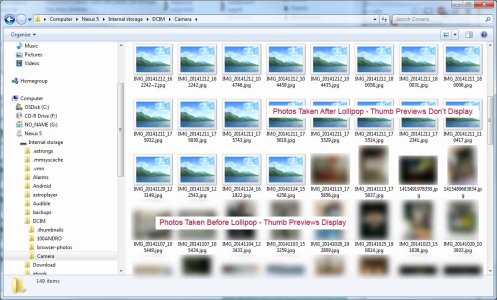
I connect my Nexus 5 to my Windows 7 computer and access it as Internal Storage, go to the DCIM/Camera directory and it shows all the new pics I've taken since the Lollipop update as generic JPG thumbnails, not thumbnail previews of the images themselves. But the images that I captured while I had KitKat have thumbnail previews that show up just fine. I have to copy
Lollipop pics off the the phone to see what they actually are.
Anybody having the same problem discovered a work around? Thanks.



 Facebook
 Twitter
 Instagram