[APP][7.1+] Easy PWA: turn any website into app!

sensboston

New member
Mar 4, 2011
3
0
1
feature_graphic_new.png

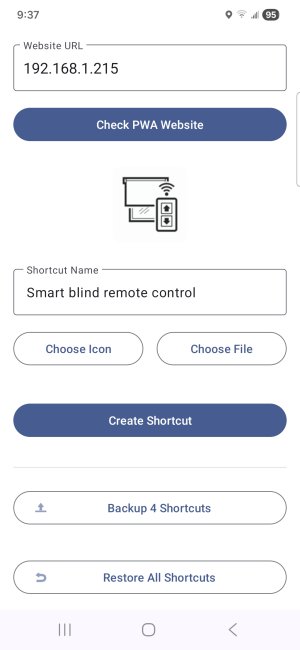
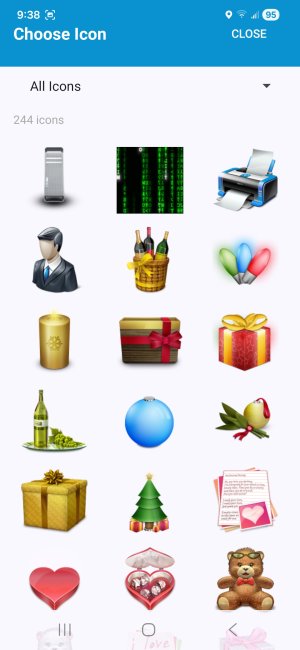
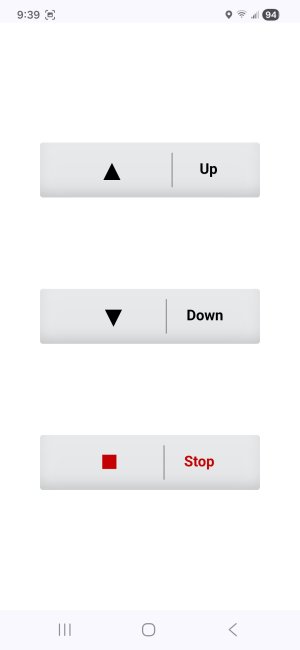
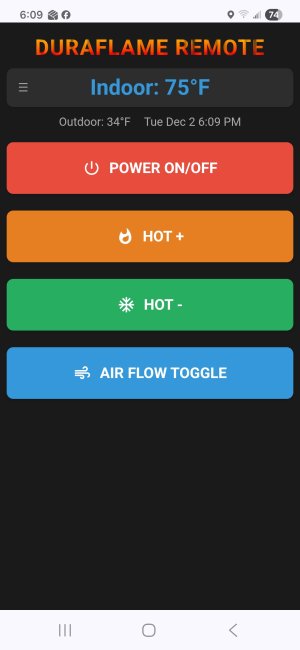
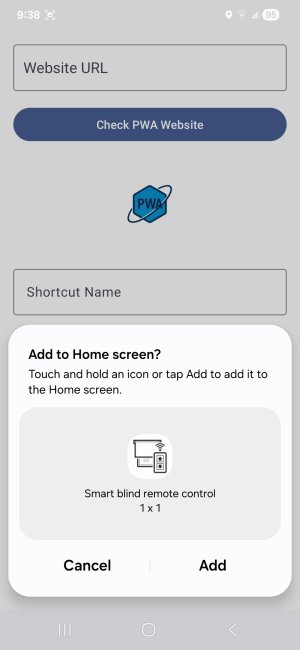
Screenshot_20251109_093735_EasyPWA.jpg Screenshot_20251109_093811_EasyPWA.jpg Screenshot_20251109_093953_EasyPWA.jpg Screenshot_20251202_180910_Easy PWA.jpg

What the app does: it revives a very convenient capability that was lost with recent changes — the ability to add a website to the Android Home screen as a PWA (Progressive Web App).
Every browser has an “Add to Home screen” option, and previously you could add a few lines to the page’s HTML and—like magic—the site behaved like an “app”: launching the shortcut opened a full-screen page without an address bar or menus, and pressing Back simply closed it, removing it from the app history. Super handy! I used it as configuration pages for my home ESP32/Arduino gadgets—no need to write control apps; everything just worked everywhere.


Sadly, the “smart folks” decided this was too easy and “extended” the PWA standard with mandatory manifests and lots of extras. The ironic (and painful) part: Chrome for Android would still open old shortcuts as before (backward compatibility), but creating new ones with the old method became impossible—it would just open a normal Chrome tab.

Easy PWA restores the classic behavior. On top of that, you can now add any site as a PWA! If it lacks the “old-style” PWA headers, you can pick an icon manually.
I also added a feature I personally missed a lot: you can back up and restore all your shortcuts to Google Drive (in the app’s settings).

App is free but has a "premium" feature, to provide an ability to add to Home more than one shortcut.
However, for Android Central forum members, I've created 50 free promo codes (under the spoiler). My only request is that you show your loyalty, rate the app 5 stars, and leave a good review! Although this is my first Android app, I've previously created many useful and free Windows Phone apps for the local community (you may check my profile). Also, don't forget to check out (and "star")

Play Store link: https://play.google.com/store/apps/details?id=com.senssoft.easypwa&hl=en_US

9D8RE6YST2YFDPJRMV0EDYX
LDT7T8JK08Z4MUV01ES2T04
JU72HRYXR915JZW5Q7KYBBW
H53CMP4ZM057URKZZ57HDMU
83U601NJJKN4WLBSJVS5NVX
DSK1W2ZHUL6ZPF9TPSVCHJG
7ZATA5N0GVDY2UDNHXEAHSX
8L5SS682QP79VFVV807BJCF
B7DZA3X05FKJXLXGY68AYMM
LE69YY67ZGGVGDXEGZUZMLE
6Y7BPS1EXH11WFG8X1JN6JW
CFNL6ZWY46DKW6JMY70TET3
NHF4B77XSPA5R6X9TLH0C11
4WMGQK463GZTDWQWRA8DPJE
9T8DMKBV0KCCS6QE6DMQ5F0
3XUN8850XHYCFP06SB88MGY
P0YC7PY5KGJYUS7VVL1EY2C
00PLP9PYFCDPYFP759RMGQL
56UEF1NV1ZP472U4B22VS4N
33701DGE23YF095S6HGZWAA
TSYPXNSBRKBFHSBBUG5DTN8
N8X81ZW0BKW92J5D5PC9RHB
WR79V4T0QB3GEQC6GBX2K58
XXWE5HTJF4M9EH4FL8MM63Y
Z63UEYW25VM7779VPARM40G
UD3L4BAGJANR1VXSXDD10UK
7TUB1DQYDRA6B8X8C6VHW1Z
L5WZLB1F18ZLFTSRDDGTGYY
FD0BY6Q2CDP8RMVHPDKKRRN
5BVD3NCT8J2JXERE23WZUFR
JWKR33GBQAAG4X9XR15LASV
TU92B4Q3LAH8CQEC9HQ44RM
H2C0DE59JMSJMUWJTC7FMZ8
Z0AB28VYDZZMZXUKWK8KHQY
404XKBU1NE6LA891WQFN90P
0BBDGEAUGXRGHV7QE10N5AR
45KMGJSRUF09B2HP429YZN3
69WF26BCR8M61DLXN7SX99Q
9ESR1201WHYFKQTJAGZFPPA
PMRCWXGEH3L0Y4RDN3P2FP5
4F7J7GGXD8R7LZ0XRDTV4QF
 

Attachments

  • Screenshot_20251109_093829_One UI Home.jpg
    Screenshot_20251109_093829_One UI Home.jpg
    215.3 KB · Views: 5
Last edited by a moderator:
Thanks a lot! I believe (or at least I tried) I already followed guidelines. The only one thing I wanna add to my post, it's a link to my GitHub repos: they all are open source and under MIT license (i.e. anyone can use for any kind of purpose without any restriction). I still can't post a direct link, but a small tip: use my nickname, sensboston, to get free access to all my repos!

@B. Diddy , could you please change in my OP "xda-dev" to "androidcentral" please? ;) And "yes", I've used copy&paste, it's should be understandable ;)

P.S. It's kinda funny but I even can't reply you with the quote of your post! I think you guys have gone a little overboard with the spam protection :D
 
Not sure I understand. When browsing to pretty much any site using Chrome for example, it seems to still have an ability to install a site as a PWA to the homescreen, and then the result being the abbreviated browser view to the site with no tabs and address bar and such. And, Chrome also seems to still have the ability to create shortcuts to sites on the homescreen, or for adding sites as bookmarks. So is this app a helper app per say, for the case when a site owner has not specifically included the newer PWA aspects in their html and the user doesn't want the plain ole shortcut on their homescreen/bookmarks?
 
Last edited:
Not sure I understand. When browsing to pretty much any site using Chrome for example, it seems to still have an ability to install a site as a PWA to the homescreen, and then the result being the abbreviated browser view to the site with no tabs and address bar and such. And, Chrome also seems to still have the ability to create shortcuts to sites on the homescreen, or for adding sites as bookmarks. So is this app a helper app per say, for the case when a site owner has not specifically included the newer PWA aspects in their html and the user doesn't want the plain ole shortcut on their homescreen/bookmarks?

Not sure I understand you, sorry! Are you talking about very old Chrome? If "yes", this is correct: to get your site displayed as PWA (like an app), you just need to add a few lines to the HTML <head>, like
HTML:
<meta name="apple-mobile-web-app-capable" content="yes">
<meta name="apple-mobile-web-app-status-bar-style" content="black-translucent">
<meta name="apple-mobile-web-app-title" content="Fireplace">
<meta name="theme-color" content="#e74c3c">
<link rel="icon" href="<removed, this site doesn't allow me to post a links :( >">
<link rel="shortcut icon" href="<removed, this site doesn't allow me to post a links :( >" type="image/x-icon">
<link rel="apple-touch-icon" href="<removed, this site doesn't allow me to post a links :( >">
Now Google changed requirements and if you wanna to get your site or settings/landing pages (like my ESP32-based gadgets) to looks as an "app", you need to comply with many mandatory requirements like https, manifest etc. & so on.

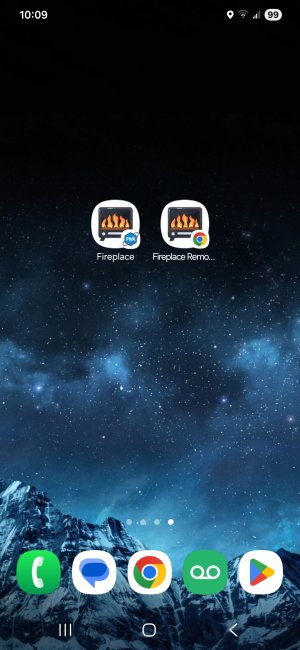
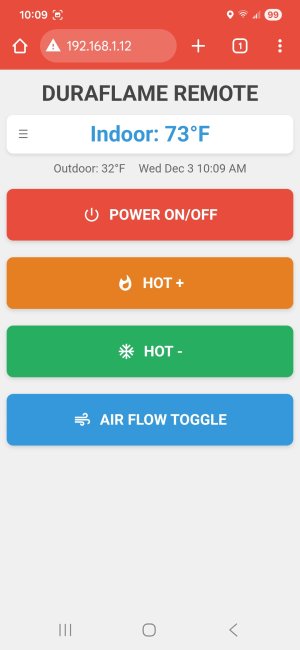
I created a few screenshots:
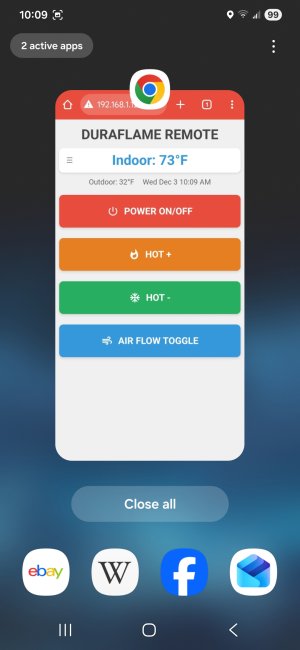
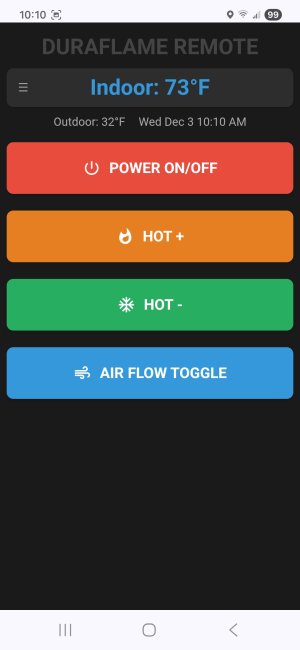
- two shortcuts, one created by "Easy PWA", another by Chrome
- Chrome shortcut doesn't looks like an app: address bar, menu etc, pressing "Back" button doesn't remove it from the list of recently opened app, and if you start Chrome by tapping icon, you'll see this page.
- "Easy PWA" restored "good old behavior"; also you can add as "PWA" any site/page even it's not prepared.

Screenshot_20251203_100932_One UI Home.jpg Screenshot_20251203_100941_Chrome.jpg Screenshot_20251203_100953_One UI Home.jpg Screenshot_20251203_101002_Easy PWA.jpg
 

Trending Posts

Forum statistics

Threads
959,766
Messages
6,980,138
Members
3,164,300
Latest member
Gremlin69