Lost contacts

JP8296

Member
Mar 11, 2019
14
0
0
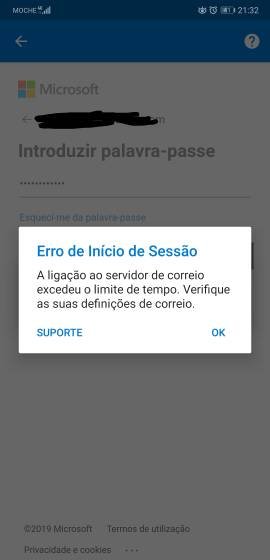
Because of my job I do a lot of calls through the day, so today I start noticing the some contacts where diapering. Open the message app, same thing, none of the messages had contacts associated, so I opem the contact app, stock contacts app, go to the accounts settings and my outlook account was gone. Now I can't add it again because the phone says the that account is already linked to the phone and I get an error message. Don't now what to do.
 

Attachments

  • 26760.jpg
    26760.jpg
    11.2 KB · Views: 9
What if you go to the main system settings, then Accounts. Is the Outlook account there? If so, select it and see if there's a Contacts sync option, and if so, make sure it's turned on there.
 
No the account is not there or anywhere else and I try to add it again I get that error message and another on saying that that account is already linked to the phone/outlook app. Even if I delete de outlook app I get the same error.
 
Yes I did, but didn't solve the issue. I had to manually import the contacts to my Gmail account, but now I have to go through a infinite list to get one contact because there isn't an option to hide contacts without nunbers, this is ridiculous. I think that I will have to find the time to do a hard reset to solve this.
 
Last edited:
Yes, clear cache, deleted the app a few times and installed it back again, even when I don't have the app installed and try to add the account ond the contact app I get the same error, that that account is already associated to the phone and if I try to di it anyway I get the 'connection time out' error.
 

Trending Posts

Members online

Forum statistics

Threads
960,240
Messages
6,981,593
Members
3,164,443
Latest member
Manish5105
