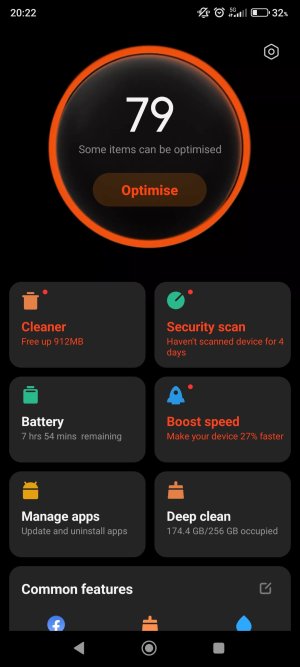
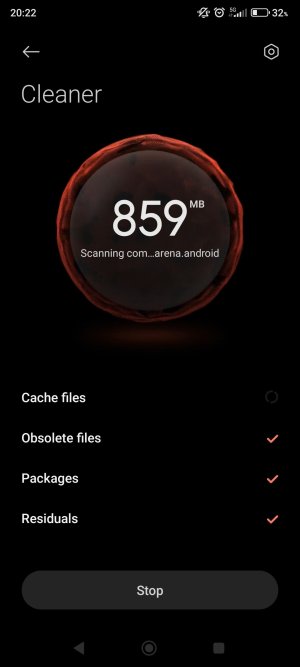
Miui cleaner keeps crashing

Musliman

Member
Feb 17, 2026
5
1
3
I have a problem with miui cleaner on xiaomi redmi note 10 pro miui 14.0.8. where cleaner crashes every time after being initiated. I tried factory reset, it did not help. Any advice?
 
Welcome to Android Central! Look for the app in Settings>Apps and try clearing its app cache/data. You might have to select the "Show System" option to see it.

In general, I always recommend against using "cleaner" apps in the first place, since they don't do very much that's useful, and they could paradoxically worsen the device's overall function. It's better to let the Android system itself manage its own RAM.
 
Welcome to Android Central! Look for the app in Settings>Apps and try clearing its app cache/data. You might have to select the "Show System" option to see it.

In general, I always recommend against using "cleaner" apps in the first place, since they don't do very much that's useful, and they could paradoxically worsen the device's overall function. It's better to let the Android system itself manage its own RAM.
Thank you for answering. I tried your suggestion by cleaning all apk data since it was only option available. It still crashes.

I used cleaner for convinience of cleaning all cash in one go, but I will seriously consider third party cleaner from play store. Can you please explain how they worsen device's function?
 
Try safe mode if it's ok probably something 3rd party you download conflicting with the cleaner
I will try safe mode but I factory reseted device and apk still crashes.

*Edit
I tried safe mode. Before it i accidentaly booted into fastboot, after that into safe mode it was in airplane mode. Cleaner didn't crash. I rebooted and it still works. Thank you to everyone for input. God Bless you all.
 
Last edited:
Thank you for answering. I tried your suggestion by cleaning all apk data since it was only option available. It still crashes.

I used cleaner for convinience of cleaning all cash in one go, but I will seriously consider third party cleaner from play store. Can you please explain how they worsen device's function?
The problem with cleaner apps is that they often try to kill apps in the background in a misguided attempt to improve battery life and speed up the device. But this isn't how Android is designed. Android is meant to keep a good amount of RAM occupied by apps, to make switching between apps quicker and more efficient. When a cleaner kills an app in the background, the system will often either restart that app or start another app to take its place -- each instance of killing and then restarting an app takes some power, and in the long run can lead to worse performance and battery life overall.
 
  • Like
Reactions: Musliman
The problem with cleaner apps is that they often try to kill apps in the background in a misguided attempt to improve battery life and speed up the device. But this isn't how Android is designed. Android is meant to keep a good amount of RAM occupied by apps, to make switching between apps quicker and more efficient. When a cleaner kills an app in the background, the system will often either restart that app or start another app to take its place -- each instance of killing and then restarting an app takes some power, and in the long run can lead to worse performance and battery life overall.
Thank you for explaining.
 

Trending Posts

Forum statistics

Threads
961,144
Messages
6,985,138
Members
3,164,662
Latest member
QuriousOne