Not seeing available network

Briansdad

New member
Jan 1, 2013
3
0
0
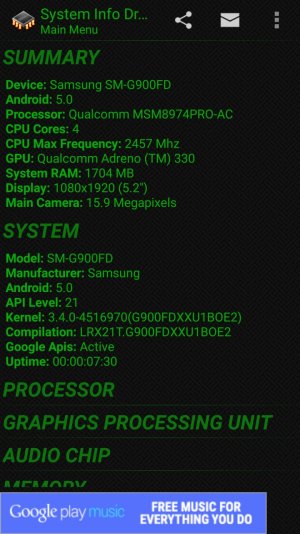
My Galaxy s5 often fails to find the available network (error message that network unavailable) even when there are a full set or bars or when I am on a strong wi-fi (I use t-mobile wi-fi calling) even after I had just used the phone for a call or text. A phone restart always fixes this but it is very annoying. It can happen a couple of times a day or not for a day or 2. what's up?
 

Attachments

  • 2015-07-27 16.59.51.jpg
    2015-07-27 16.59.51.jpg
    296.6 KB · Views: 10
Does the issues occur after a recent update or has it been constant throughout updates?

Posted via the Android Central App
 
The phone behavior seems unaltered by app, OS, or network provider updates. I called T-Mobile and they re-flashed their network software with no effect. The phone came with the current OS and has not updated to my knowledge (can't a minor OS update happen without my knowledge?). I can't seem to identify any single cause - that when "A" happens then the phone calling or Texting fails. I am uncertain whether this effect incoming calls, though I suspect it must. It seems important/significant to me that the notification bar shows adequate to strong network signals be it cell connection or wi-fi and transition from one to the other does not seem to be the issue. Of course, I have not kept a detailed log so I could have overlooked some trend.
 
The phone behavior seems unaltered by app, OS, or network provider updates. I called T-Mobile and they re-flashed their network software with no effect. The phone came with the current OS and has not updated to my knowledge (can't a minor OS update happen without my knowledge?). I can't seem to identify any single cause - that when "A" happens then the phone calling or Texting fails. I am uncertain whether this effect incoming calls, though I suspect it must. It seems important/significant to me that the notification bar shows adequate to strong network signals be it cell connection or wi-fi and transition from one to the other does not seem to be the issue. Of course, I have not kept a detailed log so I could have overlooked some trend.

I'd take the phone to T-Mobile in hopes of a replacement or contact Samsung if your phone is in warranty.

EDIT: I do not have any experience with the company of T-Mobile as Verizon and AT&T are the only reliable companies in my area.

Posted via the Android Central App
 

Latest posts

Trending Posts

Members online

Forum statistics

Threads
960,966
Messages
6,984,409
Members
3,164,619
Latest member
websitedesig111