
- Sep 25, 2015
- 15
- 0
- 0
I know this has been asked before, but the solutions given do not work for me.
Most people will say to go to google.com/bookmarks and edit the names there, but that does not work; at least not for me.
My google bookmarked locations and the saved locations on my phone have no relation to one another even though they are both using the same google account. I will post some picture for you to see.
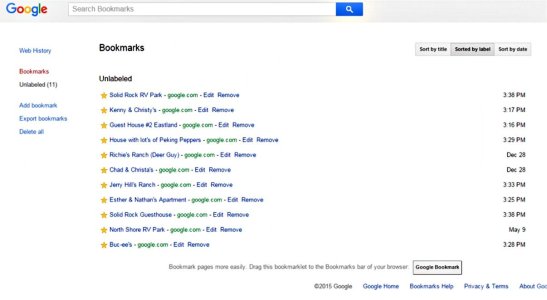
Here is what my google bookmarks looks like.
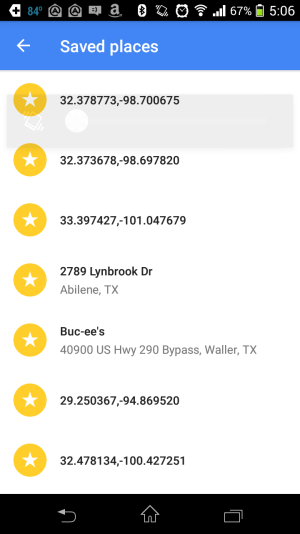
And here is what my saved places in the google maps app looks like.

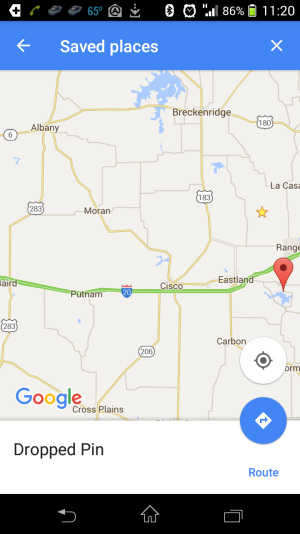
As you can see. Nothing in my google bookmarks (GB) is reflected in my google maps (GM). I actually have many more saved places in my GM saved places. None of these are showing in my GB. The only saved places that are showing in GB are places I have added while online from my PC. Nothing I do on my android device effects GB, even though I am using the same account on both.
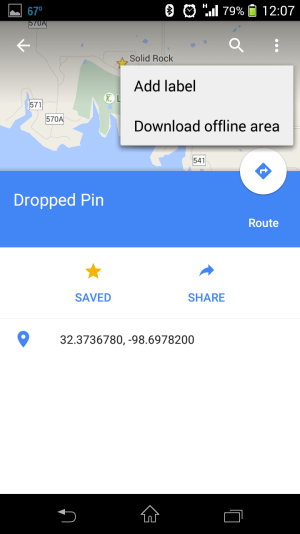
So how do I rename my saved places in GM ( and please don't tell to go to GB to do it)?
Most people will say to go to google.com/bookmarks and edit the names there, but that does not work; at least not for me.
My google bookmarked locations and the saved locations on my phone have no relation to one another even though they are both using the same google account. I will post some picture for you to see.
Here is what my google bookmarks looks like.
And here is what my saved places in the google maps app looks like.
As you can see. Nothing in my google bookmarks (GB) is reflected in my google maps (GM). I actually have many more saved places in my GM saved places. None of these are showing in my GB. The only saved places that are showing in GB are places I have added while online from my PC. Nothing I do on my android device effects GB, even though I am using the same account on both.
So how do I rename my saved places in GM ( and please don't tell to go to GB to do it)?
Last edited:



 Facebook
 Twitter
 Instagram