wifi 6 is great! Note 10+

ZOMMBIE1

Trusted Member
May 24, 2015
786
1
0
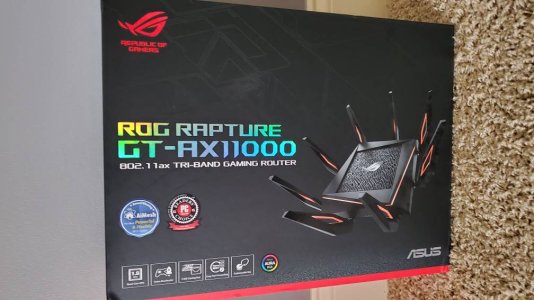
Now that I have 5 wifi 6 capable devices in my house I finally took the plunge and splurged on a new router. The ROG Rapture GT-AX11000. My ISP only has 200mbps so I mainly got this router for coverage cause my house is kinda large at 5600 sq ft and we have about 30 wireless devices connected. I had a few dead spots on 5GHz band with my previous router (RT AC88U) and this one takes care of it easily now. I like how the wifi icon shows the 6 also. Anyone need a great gaming router with speed/coverage I would recommend this router.
 

Attachments

  • 1879.jpg
    1879.jpg
    69.1 KB · Views: 48
did not know note 10+ was wifi6 compatible...must not have gotten the memo. was looking at a wifi6 router the other day and did not think I had anything compatible with it.
 
did not know note 10+ was wifi6 compatible...must not have gotten the memo. was looking at a wifi6 router the other day and did not think I had anything compatible with it.

Yeah the S10+ and Note 10+ are the ones with the new wifi. You should definitely upgrade your router.
 
I bought the same router and love it! I have FIOS gig connection and I always get 900+ mbs up and down. I also replaced my Alienware 17 R5 wifi card with the Killer wifi 6 chip and it is screaming fast! I have 19 connected devices.
 
Yes. It has to be an (ax) router. Which just came out last December. I believe only Asus and Netgear are the only ones who have it. That may have changed since then. The Asus router has tons of controls for you to choose from. It's simply awesome.
 
I probably have wifi2. hate changing out routers. too many smart things

All you have to do when you set up your new router is rename it with the same network name and password as your old router. I almost had to re-setup all my nest cameras, doorbell, TVs, smart outlets etc. Until I realized to do this.
 
I have the Netgear RAX80 but would not recommend it just yet. It is a bit buggy and is being updated with new firmware on a regular basis, makes you feel a little bit like a guinea pig. That said, the last update seems to be fairly good, it's been very stable since and the speeds are amazing. Wifi6 is still being certified and the devices you can purchase today are the pre-certification units.

It is very fast and has many advantages over the current 802.11ac standard. Wifi6 will be a major improvement in wifi networks this coming year as it starts to roll out in most new devices. The capabilities of wifi6 are night and day better than the current standard. I upgraded the wifi card in my laptop and my son's desktop. We both consistently get just over 400 Mbps down on a 400 Mbps Spectrum connection. Screenshot_20191004-060251_Chrome.jpeg


Edit: I recommend this video if you are interested in the features/advantages coming in wifi6.

https://youtu.be/8cmmVEoftEM
 
Last edited:
I bought the same router and love it! I have FIOS gig connection and I always get 900+ mbs up and down. I also replaced my Alienware 17 R5 wifi card with the Killer wifi 6 chip and it is screaming fast! I have 19 connected devices.
Do you also have FiOS TV service? Are you able to replace your Verizon router without the coax connection? My Verizon router uses both a WAN connection and incoming coax. I'm not exactly sure what the coax is doing.
 
you set up your new router is rename it with the same network name and password as your old router.
doesn't help. everything chokes and re-initialization is a nightmare, even with an outage. need to reboot my system right now and won't because of the work bringing it all back up. been there...
 
I might change but my x4s still shoots down 850mbps over WiFi. But for all the issues I’ve had with the awful consumer routers it’s time I move to the Ubiquiti system. It’s actually cheaper for me to do that then get that junk asus and Netgear use.

Don’t get me wrong. They work but when it comes time to upgrade the only thing I will have to buy is 1 wireless AP and not a whole router.
 
Do you also have FiOS TV service? Are you able to replace your Verizon router without the coax connection? My Verizon router uses both a WAN connection and incoming coax. I'm not exactly sure what the coax is doing.

No TV for me. I do all streaming. The coax connection is used for the TV part and slower internet speeds. Depending on which package you chose. The WAN connection is for internet speeds over 300 mbps. I connect the new router to the back of the FiOS router and turned off the FiOS wifi. Otherwise the 2 routers fight for bandwidth and makes 5 wifi connections. (bad) FiOS wifi isn't near as fast as the newer (ax) speeds.