getting inverse colors within a block with text

  • Thread starter Thread starter Android Central Question
  • Start date Start date
A

Android Central Question

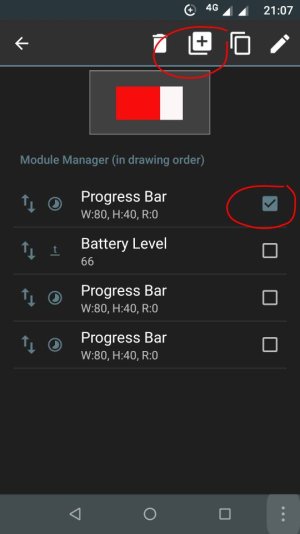
I have a battery bar that I want to place the battery percentage on top of. But I want the text color to be the opposite color of the battery bar as it discharges. In other words, when the battery is down to 50% half the text will be the foreground color while the remainder will be in the background color. Any ideas on how to do this? I thought I had seen it done once before but I can't remember where.
 
Thanks that helped greatly. However I still have something wrong on my end. I no longer think it has anything to do with the widget. When I set it up I get what I am looking for, namely the widget displays the correct battery level. However I the next time I look at it the display reads "-1". I have no idea what is happening but it doesn't do it under other circumstances. ?????
 
Thanks that helped greatly. However I still have something wrong on my end. I no longer think it has anything to do with the widget. When I set it up I get what I am looking for, namely the widget displays the correct battery level. However I the next time I look at it the display reads "-1". I have no idea what is happening but it doesn't do it under other circumstances. ?????
That's very weird. Can you post a screenshot of the whole home screen with that widget when that -1 shows up? Does it stay with that -1 text or does it change after a while? Have you changed any value in that widget I sent?

By the way, which phone and launcher are you using?
 
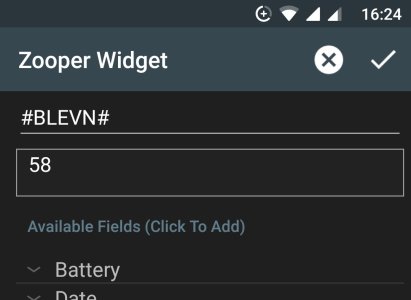
Also, when you get that -1 text tap the widget - layout - battery level - edit text manually - take a screenshot and post it here. It should be similar to this.
Screenshot_20181109-162424.jpeg
 

Latest posts

Trending Posts

Forum statistics

Threads
962,948
Messages
6,992,260
Members
3,164,951
Latest member
osirisgothra