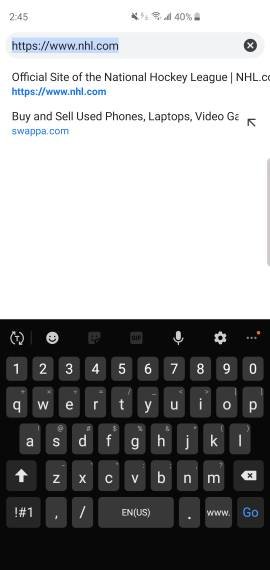
What keyboard are you using?

I haven't figured out how to do that quickly without going into settings.

I thought there was supposed to be a toggle right from the keyboard but I don't see it
Whenever the keyboard is up there's an option to switch when you pull down the notification tray.
 
This is what happened with me... and I rarely go back.

Sad to say but I went back after half an hour. Gboard looks beautiful but I couldn't figure out how to make it "aggressively" auto-correct my typos. Swiftkey has the option to always predictively auto-correct each word with what it thinks is the correct word which I rely on heavily. Not to mention auto-spacing after full stops and custom sounds. Swiftkey just has way more options that I take advantage of. I can see why people like Gboard though, it does feel more modern and looks like it too.
 
I've read that in a search but don't see it
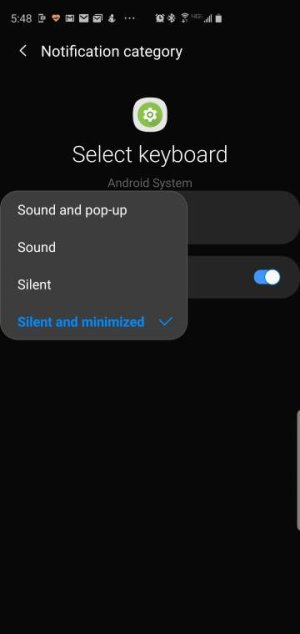
Did you go through the setup process for the Gboard app? Maybe since it's not fully setup you don't have a second keyboard available which is why you're not seeing the option. Or maybe that notification is turned off. Go to settings, notifications, in the top right choose to see system, then go to Android System and scroll all the way down until you see Select Keyboard and see if that's turned off.
 
Did you go through the setup process for the Gboard app? Maybe since it's not fully setup you don't have a second keyboard available which is why you're not seeing the option. Or maybe that notification is turned off. Go to settings, notifications, in the top right choose to see system, then go to Android System and scroll all the way down until you see Select Keyboard and see if that's turned off.

I have the keyboard available....just looking for an easy toggle
 
I've tried many myself. I actually got in on the beta of Swype and that ended my two thumb typing forever. I liked the double tap for period and deleting while words with backspace. Your custom dictionary on every device you downloaded it on was really nice too. Oh and the themes, too many to count. Can't remember why I gave it up but something changed. Tried a few here and there and landed on Gboard. That was partially me switching to all things Google but it's been good, I wouldn't say great.
 
From the notification is the easiest way I know.

Yeah I had to change the notification from silent and minimized to just silent.

Settings
Apps
Show system
Android system
Notifications
Select Keyboard
 

Attachments

  • 2059.jpg
    2059.jpg
    13 KB · Views: 21
GBoard and would never use anything else, I just feel so comfortable with everything about it.